HCARD-101....................................................................................................................................................... KORG M1/M1R/Tx MODE
2
Initial Configuration for Multi-Device Compatibility
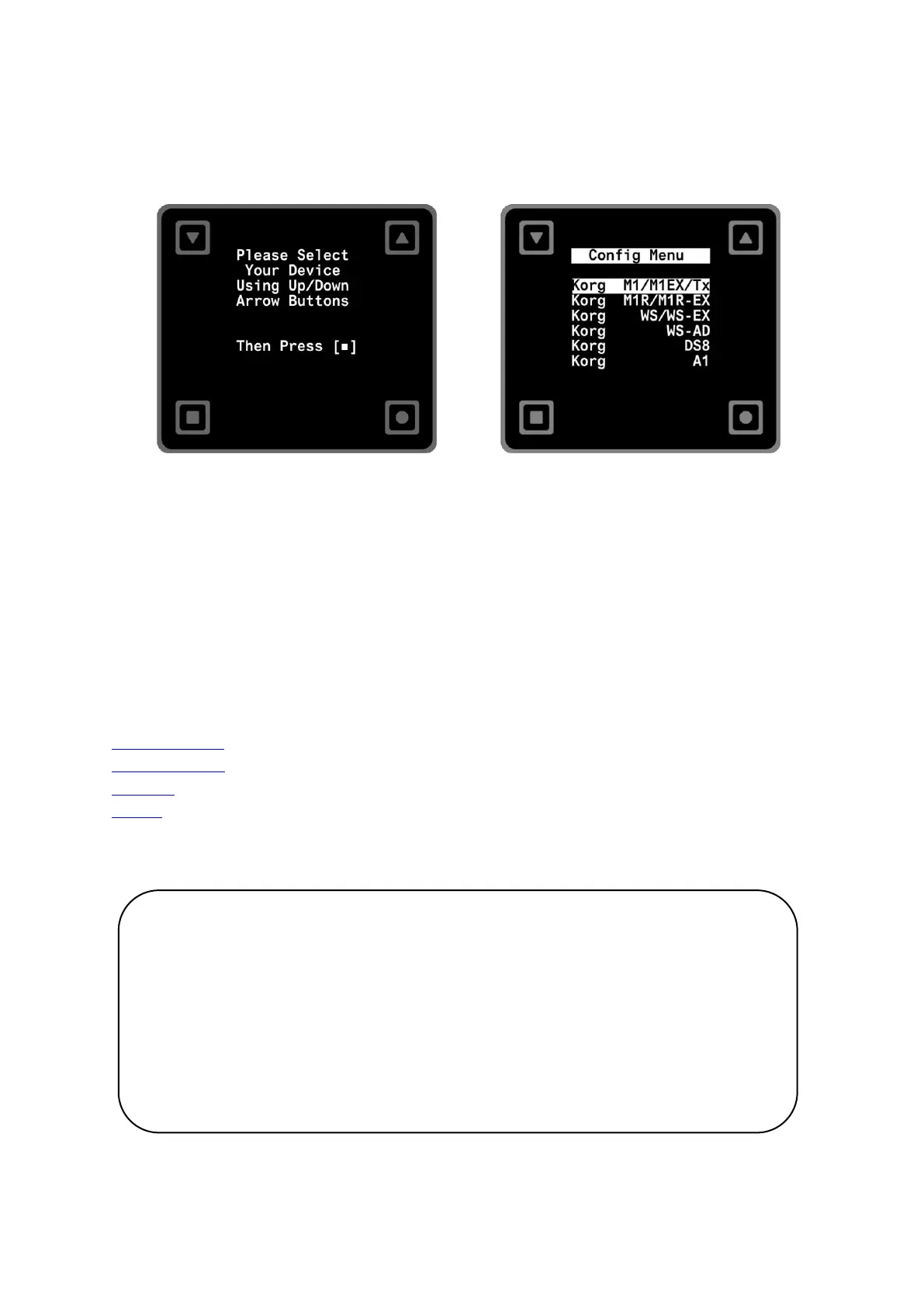
When you initially power up your device with the Hcard-101 inserted, it will automatically display a startup message for 4 seconds before
transitioning to the configuration menu. This step allows you to customize the Hcard-101 to your specific device, ensuring compatibility.
>
Within the configuration menu, start by using the [▼] and [▲] buttons to select your device. Once you've made your selection, press the [█]
button. At this stage, the Hcard will automatically restart and display a splash screen:
Selecting the Appropriate Manual Section
This manual is organized into four distinct sections, each dedicated to a specific Korg synthesizer or effect processor. For those using the digital
PDF version, simply click on the hyperlinks provided below to navigate to the relevant section. If you're referencing a printed copy, please note
the page numbers associated with your specific device model to find the information you need.
Korg M1/M1R/Tx..................................................................................................................................................Page 03-10
Korg WS/WS-A/D .................................................................................................................................................Page 11-16
Korg DS-8 ..............................................................................................................................................................Page 17-20
Korg A1 .................................................................................................................................................................Page 21-26
Note on Adaptive Display Feature:
For users of the Korg M1R or WS-A/D (Rack Mounted Unit), please be aware of the
adaptive display feature which rotates the screen. When this feature is active, the
functions of the square [█] and circle [●] buttons will be reversed. Apart from the
point mentioned above, all the content and details within this manual remain
consistent and identical for both the M1 and M1R, as well as the WS and WS-A/D
models.


 To Next Page