Powering up
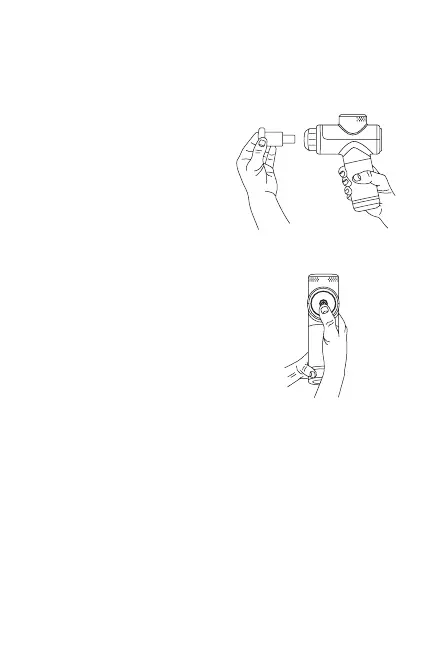
Turn your Hypervolt Go 2 ON by
pressing the power/speed setting
button. Hold for two seconds until
the battery level indicator (LED
band) illuminates, then release.
Choosing head
attachments
Choose desired head attachment
and insert directly into the
opening while pushing firmly.
Start your session


 To Next Page