27
Using your Charger Regulations & Security
The government commitment that all new cars & vans must be fully zero emissions by 2035 will signicantly increase the demand on the electricity system
To help manage this demand “Smart Charging” of electric vehicles by “Smart Chargers” has always been encouraged and the new 2021 No 1467 Regulations just enforce some further
requirements of “Smart Chargers”. The Hypervolt Home series have always been smart chargers and already complied with most of the changes but here is a bit more information about
what’s new:
What are the new regulations ?
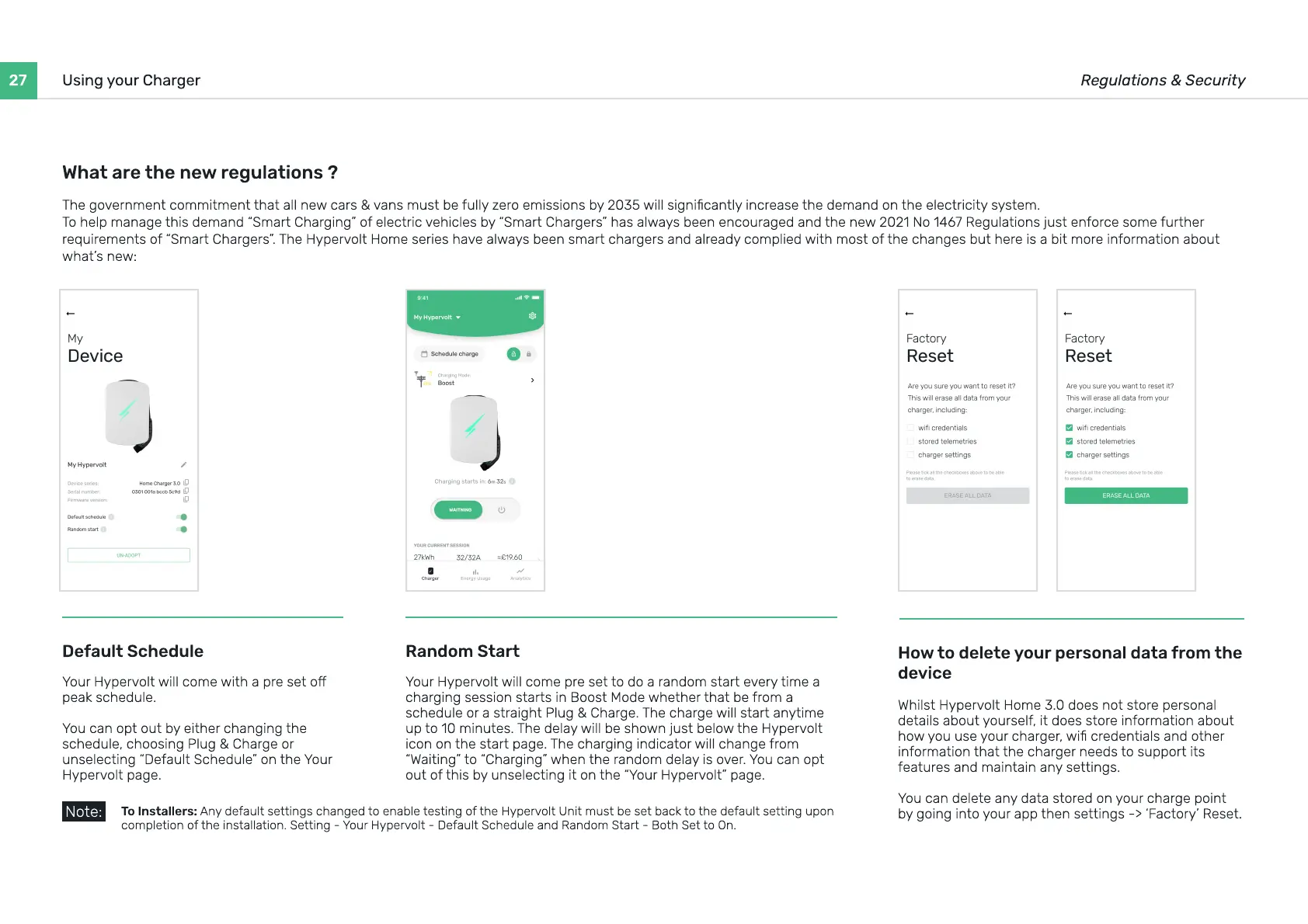
Default Schedule
Your Hypervolt will come with a pre set o
peak schedule
You can opt out by either changing the
schedule, choosing Plug & Charge or
unselecting “Default Schedule” on the Your
Hypervolt page.
How to delete your personal data from the
device
Whilst Hypervolt Home 3.0 does not store personal
details about yourself, it does store information about
how you use your charger, wi credentials and other
information that the charger needs to support its
features and maintain any settings
You can delete any data stored on your charge point
by going into your app then settings -> ‘Factory’ Reset.
Random Start
Your Hypervolt will come pre set to do a random start every time a
charging session starts in Boost Mode whether that be from a
schedule or a straight Plug & Charge. The charge will start anytime
up to 10 minutes. The delay will be shown just below the Hypervolt
icon on the start page. The charging indicator will change from
“Waiting” to “Charging” when the random delay is over. You can opt
out of this by unselecting it on the “Your Hypervolt” page.
T
o
I
nstallers
:
A
ny default settings changed to enable testing of the Hypervolt
U
nit must be set back to the default setting upon
completion of the installation. Setting - Your Hypervolt - Default Schedule and Random Start - Both Set to
O
n.
Note:


 To Next Page
 Loading...