LED
Indictor
Trouble Shoot
Possible
Reasons
Solution
Off Dongle is not powered
1. Dongle is not
powered.
2. Abnormal
physical
connection.
3. Dongle fault
1.Make sure the inverter is
working properly
2.Unplug and plug the dongle
again, and secure with screws.
3.Contact Hypontech for
aftersales service
Solid
RED
1. No communication
between dongle and
inverter
2. Didn't configure WiFi
1. No
communiation
2. WiFi is not
configured
Use Hypon.Cloud APP to
configure WiFi and password
Blinking Dongle is not connected Weak WiFi
Switch to better signal
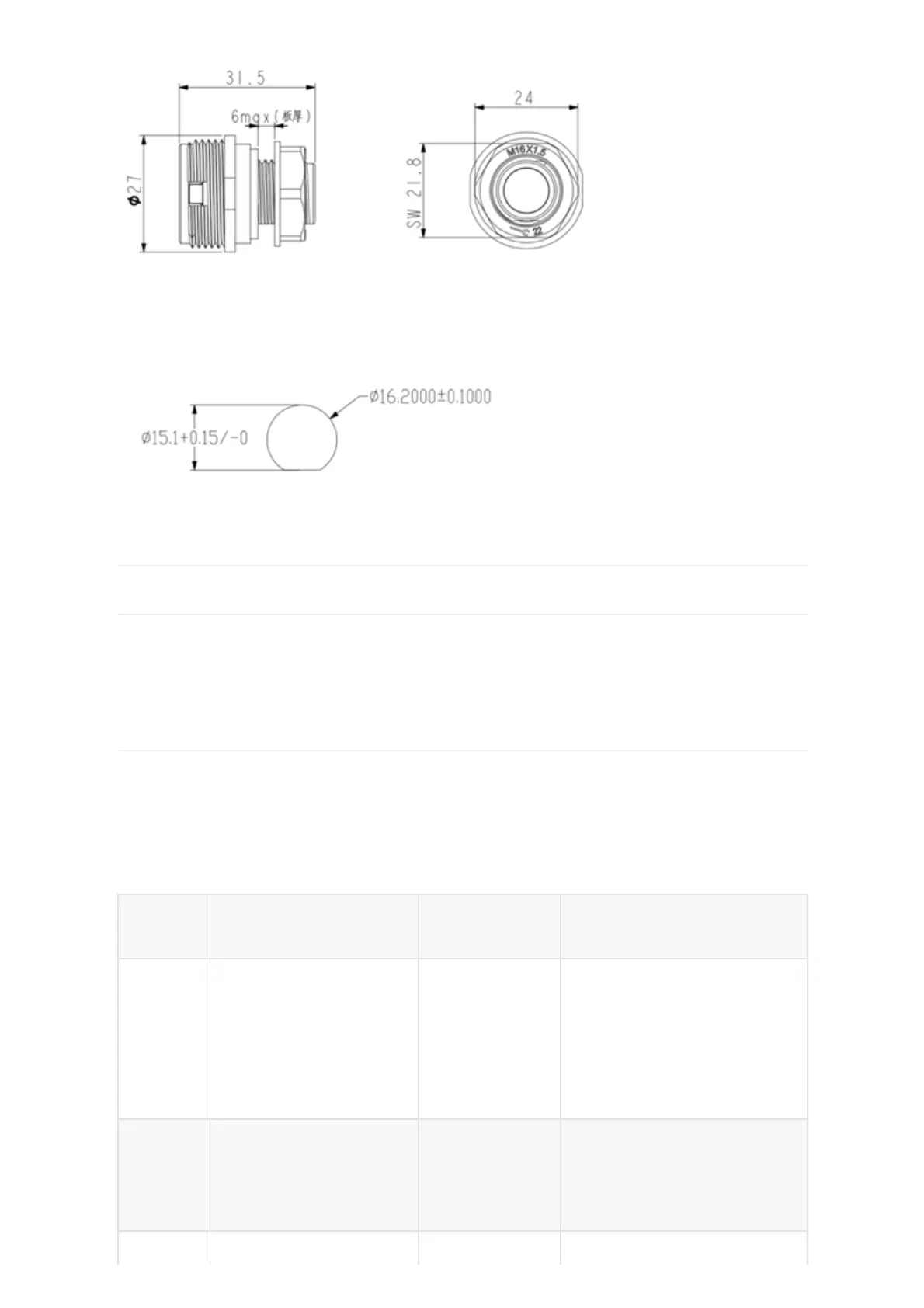
Dimension of opening on casing:
CONNECT THE PRODUCT
Physical Installation
1. Insert the Dongle vertically to the socket on the inverter with the front side facing the user;
(please refer to the corresponding manual of the inverter for the specific port)
2. Tighten the nut.
LED Indicator
1. Inverter is commissioned. LED shows RED, indicates the dongle is initializing.
2. Once the dongle is successfully connected to server, LED will show solid GREEN, indicates the
dongle is working.
Other Conditions:



 To Next Page