EasyManua.ls Logo

HYT TC-620 - User Manual

HYT TC-620
39 pages
Print Icon
To Next Page IconTo Next Page
Loading...
TC-620 Owners Manual
1
Contents
Introduction ................................................................................................................................2
Safety and General Information ................................................................................................. 3
Specifications ............................................................................................................................. 4
Product Inspection...................................................................................................................... 5
Getting Started ........................................................................................................................... 7
Battery Information..................................................................................................................... 9
Antenna Information ................................................................................................................. 12
Assembly and Disassembly ..................................................................................................... 12
General Radio Operations........................................................................................................ 17
Functions and Settings............................................................................................................. 20
CTCSS/CDCSS ................................................................................................................ 20
Battery Save ..................................................................................................................... 20
Power Adjust ..................................................................................................................... 20
Time-out Timer (TOT)........................................................................................................ 21
Battery Strength Indicator.................................................................................................. 21
Monitor / Squelch Off ........................................................................................................ 21
Scan.................................................................................................................................. 22
Busy Channel Lockout (BCL)............................................................................................ 24
Low Battery Alert............................................................................................................... 24
Voice Operated Transmit (VOX)........................................................................................ 24
Troubleshooting ....................................................................................................................... 26
Care and Cleaning ................................................................................................................... 27
Optional Accessory .................................................................................................................. 28
Channel Frequency Table ........................................................................................................ 30
CTCSS Table (38).................................................................................................................... 30
CDCSS Table (83) ................................................................................................................... 31
Glossary ................................................................................................................................... 33

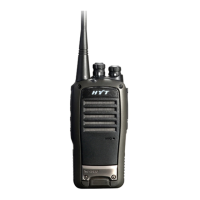
Other manuals for HYT TC-620

Questions and Answers

  • K
    Kathleen PatrickJul 27, 2025
    How to fix HYT Portable Radio if it will not turn on?
    • K
      Kristopher BrownJul 27, 2025
      If your HYT Portable Radio won't power on, it could be due to a drained battery. Try recharging the battery or replacing it with a fully charged one. Alternatively, the battery might not be correctly installed; remove and reinstall it to ensure proper contact.
  • S
    sarahalvaradoAug 1, 2025
    What to do if I cannot talk to or hear group members on my HYT Portable Radio?
    • E
      Eric YorkAug 2, 2025
      If you can't hear or talk to group members on your HYT Portable Radio, ensure all radios are set to the same channel and have matching CTCSS/CDCSS settings. Also, make sure you are within the communication range of the other members.
  • B
    brandon66Aug 6, 2025
    Why does the operation time of my HYT Portable Radio not increase even though the battery is properly charged?
    • W
      Wayne SantanaAug 6, 2025
      If the operation time of your HYT Portable Radio doesn't increase after charging, it might be because the battery's life cycle is over. Consider replacing it with a new one. Also, ensure the battery is fully charged by removing it only after the LED indicator shows green.
  • M
    Maria BestAug 11, 2025
    What should I do if I hear non-group members on my HYT Portable Radio?
    • J
      Jennifer PerkinsAug 11, 2025
      If you are hearing non-group members on your HYT Portable Radio, change your CTCSS/CDCSS settings, and advise your group members to do the same.
  • J
    Joseph Bryan PhDAug 16, 2025
    What to do if there is no voice or low voice while transmitting on my HYT Portable Radio?
    • L
      Laura CookAug 16, 2025
      If you experience no voice or low voice while transmitting on your HYT Portable Radio, check if the volume switch knob is in the correct position. If the issue persists, send the radio to your dealer for microphone detection.
  • J
    James KellyAug 21, 2025
    Why is there always noise on my HYT Portable Radio?
    • B
      bgonzalezAug 21, 2025
      If there is constant noise on your HYT Portable Radio, it might be because the group members are too far away. Move within communication range and power the radio on again.

Summary

Safety and General Information

Specifications

Getting Started

Battery Information

Safety Precautions

General safety rules for battery handling and charging.

Assembly and Disassembly

Attaching the Battery

Step-by-step guide to connect the battery to the radio unit.

General Radio Operations

Transmitting

Procedure for speaking into the microphone to transmit audio signals.

Receiving

How to listen for incoming signals by releasing the PTT key.

Functions and Settings

CTCSS;CDCSS

Setup of tone codes to prevent unwanted conversations on shared frequencies.

Scan

Feature for automatically scanning through channels in a predefined list.

Busy Channel Lockout (BCL)

Prevents transmission on an occupied channel to avoid interference.

Voice Operated Transmit (VOX)

Enables hands-free transmission triggered by the user's voice.

Troubleshooting

Safety Training Information

Electromagnetic Interference;Compatibility

Information on how radio transmissions may affect other devices and vice versa.

HYT TC-620 Specifications

General IconGeneral
Channel Capacity16
Battery TypeLi-ion
Output Power5W
Water ResistanceIP54
Channel Spacing12.5/25 kHz
Operating Voltage7.4 V
Frequency Stability±2.5 ppm
Antenna Impedance50 Ω
IP RatingIP54

Related product manuals