EasyManua.ls Logo

Hyundai H-DVB03T2 - User Manual

Hyundai H-DVB03T2
29 pages
Print Icon
To Next Page IconTo Next Page
Loading...
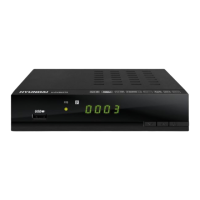
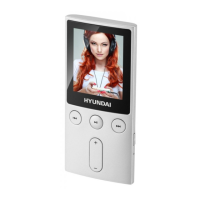
MULTIMEDIA PLAYER
WITH DVB-T2 RECEIVER
Руководство по эксплуатации Instruction manual
H-DVB03T2
МУЛЬТИМЕДИЙНЫЙ ПЛЕЕР
С DVB-T2 ПРИЕМНИКОМ

Questions and Answers

  • J
    jleeAug 1, 2025
    What to do if my Hyundai Media Player has no sound?
    • A
      Anthony HubbardAug 1, 2025
      If your Hyundai Media Player isn't producing any sound, there might be a few reasons. First, ensure the audio cable is correctly and securely connected. Second, check that the sound isn't muted and the volume is at an audible level. Finally, the audio track may not be supported; try selecting another audio track.
  • C
    Courtney CarterAug 7, 2025
    Why is my Hyundai H-DVB03T2 Media Player remote control not working?
    • D
      Derrick FowlerAug 7, 2025
      If your Hyundai Media Player isn't responding to the remote control, there are a few potential causes. First, make sure the unit is switched on. Second, ensure you're using the remote control at the correct angle and that the front panel of the unit isn't shielded. Finally, the batteries in the remote control might be exhausted, so try changing them.
  • K
    Kayla SteinAug 13, 2025
    What to do if my Hyundai Media Player says 'No signal'?
    • V
      Victor PerezAug 13, 2025
      If your Hyundai Media Player displays a 'No signal' message, it could be due to a few reasons. Check that the antenna cable is securely connected. Also, ensure the antenna is correctly positioned for optimal reception. If problems persist, consider contacting your service provider.
  • R
    ronaldthompsonAug 19, 2025
    How to fix a Hyundai H-DVB03T2 when the standby indicator is off?
    • D
      Debbie HernandezSep 12, 2025
      If the standby indicator on your Hyundai Media Player is not lit, it's likely that the unit isn't properly connected to the power supply. Check the connection to the mains and ensure the power cable is securely connected.
  • M
    mary52Aug 25, 2025
    What to do if my Hyundai H-DVB03T2 Media Player has no image?
    • A
      Arthur CooperAug 25, 2025
      To resolve a 'no image' issue on your Hyundai Media Player, select the correct input signal source.

Summary

Before you start

Important safeguards

Safety precautions to prevent fire, electric shock, and device damage.

Connection

Antenna input

Connect an external DVB-T antenna to the RF IN connector.

HDMI-out

Connect to TV's HDMI output using a special HDMI cable.

Operation

Controllers

Overview of front panel and rear panel controls and ports.

Front panel

Identification of ports and buttons on the front of the device.

Rear panel

Identification of ports and connections on the rear of the device.

Remote controller

Identification and function of remote controller buttons.

General operations

Explanation of basic functions like STANDBY, INFO, EPG, AUDIO, etc.

OSD operation

Steps for navigating and adjusting settings via the on-screen display.

General information

Hyundai H-DVB03T2 Specifications

General IconGeneral
Tuner typeAnalog & digital
Product colorBlack
Interactive TV-
Frequency range174 - 862 MHz
Number of tuners- tuner(s)
Channels quantity69 channels
Audio output channels- channels
Smartphone remote supportNo
Electronic Program Guide (EPG)Yes
On Screen Display (OSD) languagesRussian
Cables includedAC, AV
Audio formats supportedAC3, ADPCM, HE-AAC, LPCM, MP2, MP3, WMA
Image formats supportedBMP, JPG, PNG
Video formats supported3GP, AVI, AVS, DAT, DIVX, FLV, H.263, H.264, M2T, M2TS, MKV, MOV, MP4, MPEG, MPEG1, MPEG2, MPEG4, TP, TRP, TS, VOB, XVID
RF ports quantity1
USB 2.0 ports quantity2
USB 3.2 Gen 1 (3.1 Gen 1) Type-A ports quantity0
Supported file systemsFAT, FAT32, NTFS
Aspect ratio4:3, 16:9
Signal sourceCable
Video resolutions640 x 480, 720 x 576, 1080 x 720, 1920 x 1080 pixels
Supported video modes480i, 480p, 576i, 576p, 720p, 1080i, 1080p
Analog signal format systemNTSC, PAL, PAL BG, PAL DK, PAL L
Digital signal format systemDVB-T
AC input voltage110-240 V
AC input frequency50 - 60 Hz
Power consumption (typical)8 W
Battery typeAAA
Remote control typeIR
Storage temperature (T-T)-20 - 60 °C
Operating temperature (T-T)0 - 45 °C
Display typeLED

Related product manuals