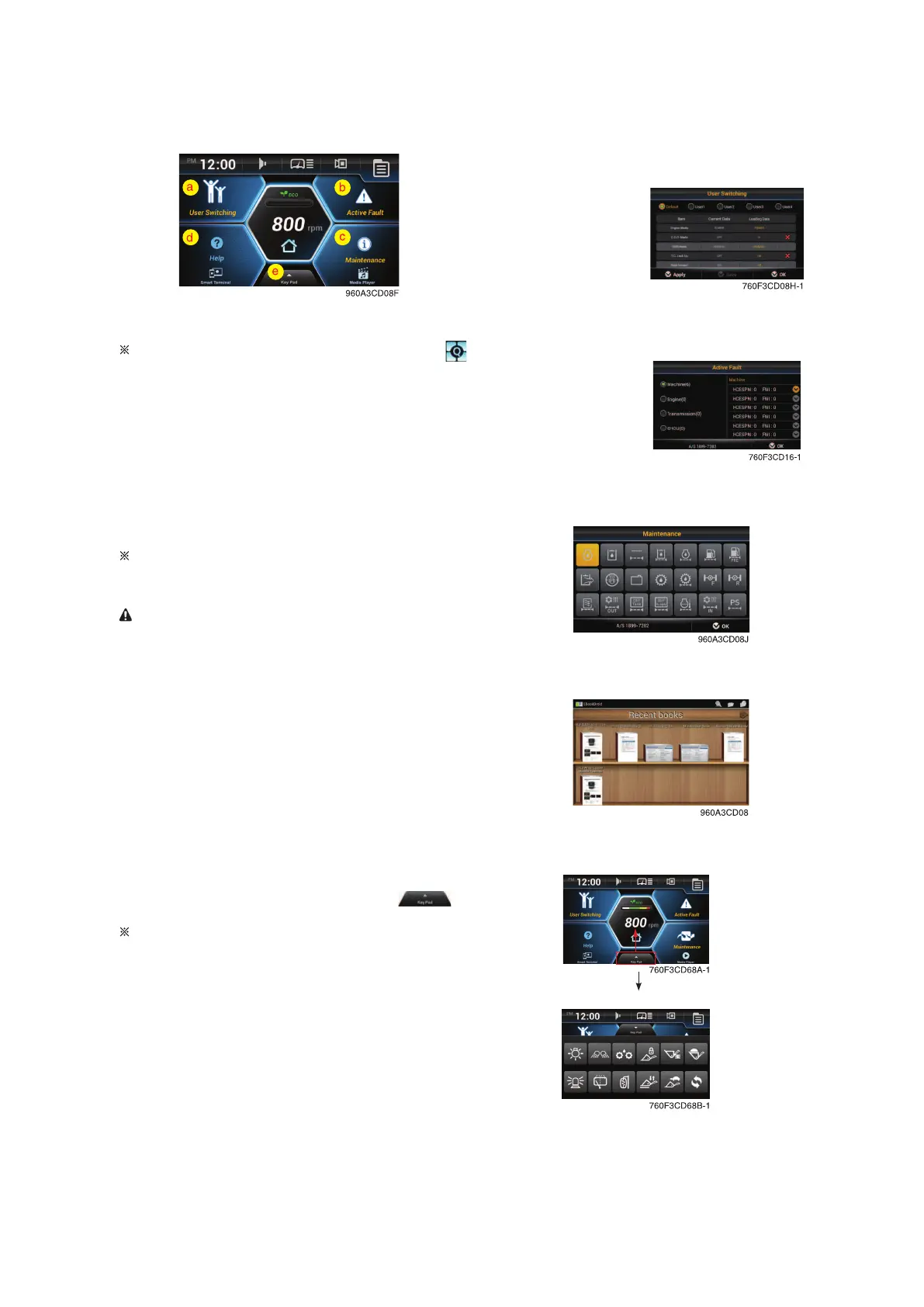
Quick menu
Move the quick menu screen by touching .
a. User switching
• When multiple users share a machine, it allows users to
switch user settings of machine.
• User can apply or save the setting of monitor easily.
b. Active fault
• Display the fault code of MCU/ECU/TCU/EHCU.
• Refer to page 3-32.
c. Maintenance
• Elapsed time, change or replace cycle can be changed.
• Refer to page 3-36.
d. Help
• Read the monitor manual as a PDF file on the monitor.
Smart terminal
• The menu features a smartphone and operates the mir-
acast.
Operation of screen mirroring can be dangerous
while driving.
Driver is responsible for accident or other dam-
ages.
Operate the screen mirroring while stopping for
safety.
a. User switching
b. Active fault
c. Maintenance
d. Help
a. Virtual keypad
To display the virtual keypad, drag the button ( ) to top of
the screen.
Refer to the page 3-45 for details.
3-19



 To Next Page