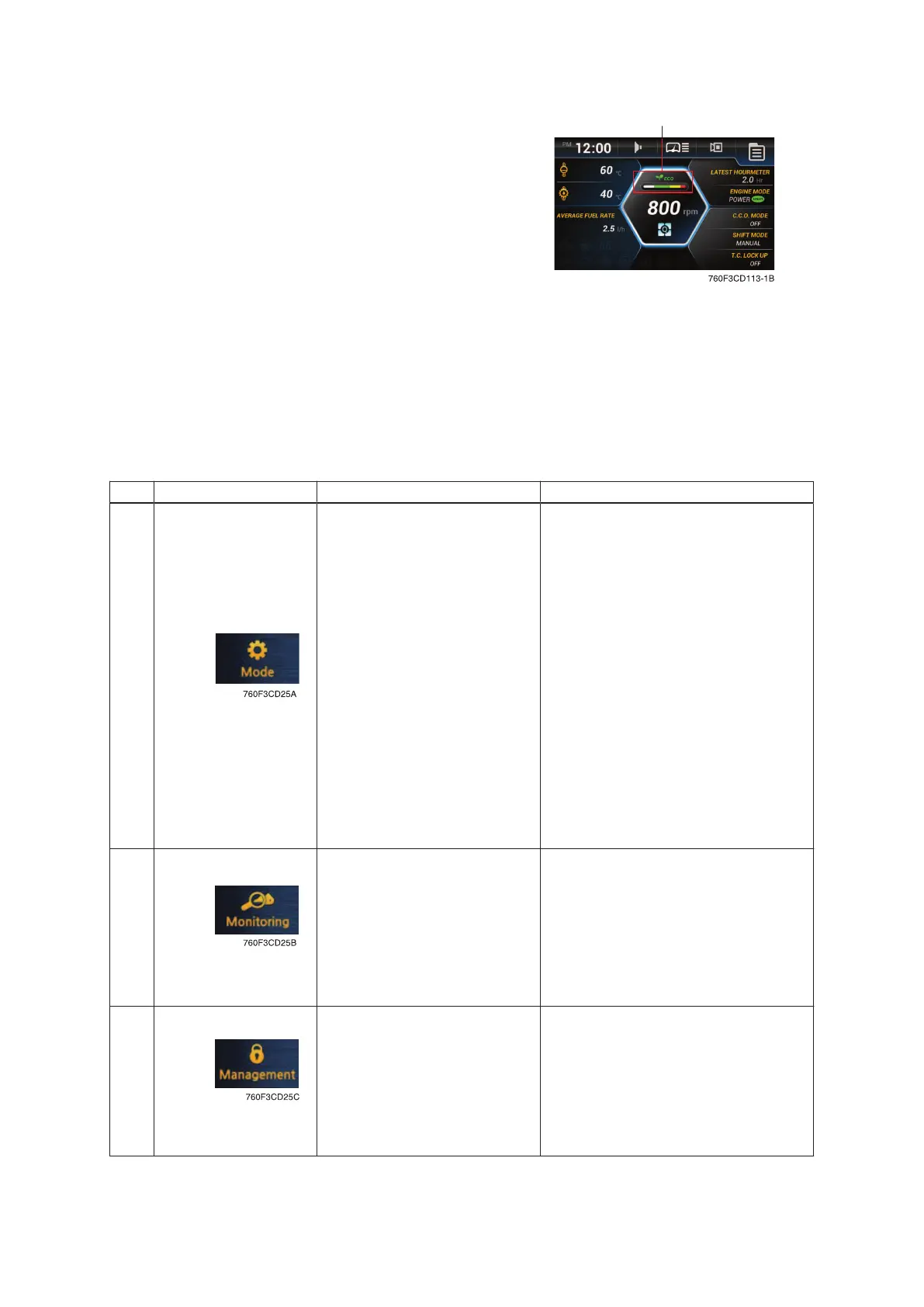
(6) Eco gauge
This gauge indicates the fuel consumption rate
and the machine load status. So that operators
can be careful with fuel economy.
If the fuel consumption rate or machine load are
high, the segment is increased.
The color of the Eco gauge indicates the opera-
tion status.
• White : Idle operation
• Green : Economy operation
• Yellow : Non-economy operation at a medium lev-
el.
• Red : Non-economy operation at a high level.
2) MAIN AND SUB MENU
(1) Structure
No. Main menu Submenu Description
1
Engine setting Engine mode, Engine speed
Kick down Mode 1 (down/up), Mode 2 (down only)
C.C.O mode Clutch cut off mode (Off, L, M, H)
Shift mode Transmission shift mode (manual, AL, AN, AH)
T.C. lock up Torque converter lock up ON/OFF
Work load Weighing system, Weighing display, Error detec-
tion Boom pressure calibration, Weighing system
compensation
Boom/bucket detent mode Boom/bucket detent ON/OFF, Save position
Bucket priority Bucket priority ON/OFF
Auxiliary attach max flow level Max oil flow level setting
Soft end stop Boom up/down, Bucket in/dump ON/OFF
Speedometer frequency setting Speedometer setting
Cooling fan reverse mode Off, Manual, Automatic
Wiper level setting Slow, Normal, Fast, Very fast
Calibration Boom/bucket angle, Boom pressure, Brake ped-
al sensor, AEB
Engine auto shutdown Once, On/Always, Disable, ESL system setting
2
Machine monitoring Hyd, Coolant, axle and TM oil temp, Battery volt-
age
Operation history Hour meter, ODO meter
Fault history Active/Logged fault (MCU, ECU, TCU, EHCU,
AAVM)
Fuel consumption history General record, Hourly record, Daily record,
Mode record, Operation efficiency record
Machine information TCU, ECM, MCU, RMCU, EHCU, Monitor, Clus-
ter
3
Machine security ESL system setting, Change password
Maintenance Elapsed time, Cycle, Maintenance history
Service menu Sensor monitoring, Speed limit setting, Weighing
system compensation, EHCU I/O information
Change A/S phone number Check and change of contact information
Software update Update file in USB memory
Owner menu editing Owner menu editing, Menu list, Password
change
3-21



 To Next Page