Need help?
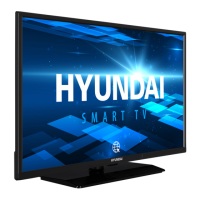
Do you have a question about the Hyundai HLR32TS554SMART and is the answer not in the manual?
Symbols used on the product for restrictions, precautions, and safety instructions.
TV designed to be environmentally friendly. Steps to reduce energy consumption.
List of key features of the TV, including Tuner, HDMI, USB, Teletext.
List of items included in the package: remote, batteries, manual.
TV behavior when no signal is received, switching to standby mode.
Description and operation of the single control button on the TV.
Instructions on how to open the compartment and insert batteries.
Information on connecting the TV to the power supply.
How to connect antenna or cable TV to the TV's input sockets.
Information about HDMI, Dolby, YouTube, Microsoft technologies and CI Plus.
Proper disposal of the product and batteries according to EU directives.
Technical data of the TV, including broadcasting, resolution, power, dimensions.
Detailed explanation of all buttons and functions on the remote control.
Details on connecting various external devices via different ports.
Steps to turn the TV on and off.
Guide for initial setup of the TV, including language, country, PIN, and network settings.
How to connect and play media files from USB devices.
How to access and use the Media Browser to view files from USB.
Explanation of the CEC function for controlling connected HDMI devices.
How to access the built-in electronic user manual.
Options for adjusting picture settings like Mode, Contrast, Brightness, Colour, etc.
Options for adjusting sound settings like Volume, Equalizer, Sound Mode, Dolby Audio.
Settings for network connection, Wi-Fi, speed test, and advanced network configurations.
Options for channel tuning, satellite settings, and installation.
Managing channel lists and favorites.
Setting parental controls, PIN codes, and maturity restrictions.
How to access and use the EPG to view program schedules.
How to access and use Teletext and Digital Teletext.
Checking for and installing software updates.
Common issues and solutions for TV problems.
Table of typical PC input resolutions and frequencies supported.
Compatibility of TV with various AV and HDMI signal inputs.
List of supported video file formats.
List of supported image file formats.
List of supported audio file formats.
List of supported subtitle file formats.
Supported DVI resolutions.
Connecting to a wired network.
Connecting to a wireless network.
Enabling/disabling Wake On feature.
Solutions for connectivity issues.
Using AVS feature for media sharing.
Accessing and managing applications.
Using the internet browser.
Information about HbbTV.
DVB receiver information.
 General
| Screen Size | 32 inches |
|---|---|
| Smart TV | Yes |
| HDMI Ports | 3 |
| USB Ports | 2 |
| Wi-Fi | Yes |
| Bluetooth | No |
| Display Technology | LED |
| Resolution | 1366 x 768 |
| Operating System | Android |
| Weight | 4.5 kg |


 To Next Page