Need help?
Do you have a question about the Hyundai HY book plus and is the answer not in the manual?
Details CPU, OS, RAM, Storage, Screen Panel, Aspect Ratio, Resolution.
Lists Camera, Wireless LAN, Bluetooth, Speakers, Microphone, I/O interface, Battery.
Covers Keyboard, Touchpad, AC Adapter, Measurement, Weight, and Materials.
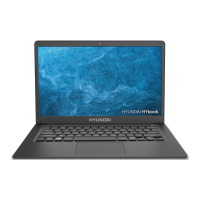
Identifies main external components like display, camera, and indicators.
Details the location and type of all input/output ports.
Visual representation of the laptop keyboard layout.
Explains the purpose of specific keys like Fn, Win, Scr Ik, Prt Scr, Pause.
Details specific operations performed using Fn key combinations for various functions.
Covers horizontal, vertical, diagonal sliding, and left-clicking.
Explains two-finger tap, scroll, zoom, and drag-and-drop actions.
Details three-finger swipe gestures for navigation and actions.
Instructions for connecting the power adapter and charging the battery.
Steps for initial power-on, setup assistant, and system configuration.
Procedure to unlock the screen after it's locked or in sleep mode.
Explains how to open, view, and interact with the Windows Start Menu.
Accessing and using the bar for quick access to laptop functions.
Steps to activate Wi-Fi and launch the default internet browser.
Instructions for resetting, entering standby, and shutting down the laptop.
Recommendations for saving energy and extending battery life.
Step-by-step guide for creating a full system backup.
Critical safety advice on heat, ventilation, and operating conditions.
Precautions for handling, safety, and disposal of the laptop battery.
Guidelines for recycling electronic waste and keeping the device away from children.
Notes on modifications, compliance with Part 15, and potential interference.
Statement on co-location, limits for uncontrolled environments, and installation distance.
Provides contact details for sales and technical support worldwide.

 To Next Page
 General