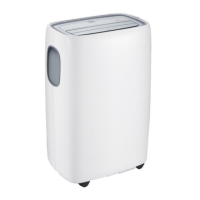
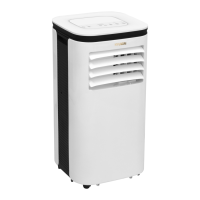
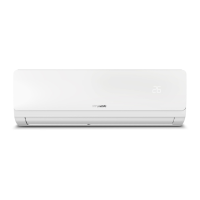
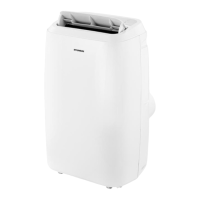
This document is the user manual for the HYUNDAI ELECTRONICS Portable Air Conditioner, model HYD18KPACWA. It provides essential information for the safe installation, operation, and maintenance of the appliance.
Function Description
The HYUNDAI HYD18KPACWA is a portable air conditioner designed for indoor use, offering cooling, dehumidifying, and fan operation modes. Some models also include a heating function and Wi-Fi connectivity. The unit is designed to provide comfort by regulating room temperature and humidity.
Important Technical Specifications
- Refrigerant: R32. The appliance contains Y g (amount specified on the rating label) of R32 refrigerant gas, which complies with European environmental directives.
- Fuses: T, 250V AC, 3.15A or higher.
- Power Supply: AC220-240V/50Hz.
- Operation Temperature Range:
- Maximum Cooling: 35/24 DB/WB(°C)
- Minimum Cooling: 18/12 DB/WB(°C)
- Room Area for 18000Btu/h model: 4 m² (minimum floor area for storage and operation).
- Temperature Setting Range: 16°C - 31°C.
- Installation Clearance: At least 30cm clearance around the air outlet.
Usage Features
The portable air conditioner can be controlled via a control panel on the unit and a remote controller.
Control Panel Functions:
- Power on/off: Turns the unit on or off.
- Fan speed: Adjusts the fan speed (High, Medium, Low).
- Temperature up/down: Increases or decreases the desired temperature.
- Operation mode: Selects between Cooling, Dehumidifying, and Fan modes.
- Timer on/off: Sets a timer for the unit to turn on or off.
- Swing on/off: Activates or deactivates continuous louver swing.
- Sleep mode: Adjusts temperature automatically for sleep comfort (increases 1°C after an hour, up to 2°C after 2 hours in cooling mode).
- Wi-Fi function: (For some models) Allows control via a mobile phone APP.
- Water full indicator: Lights up when the internal water tray is full, requiring drainage.
Remote Control Functions:
The remote control mirrors most of the control panel functions, including Power on/off, Timer on/off, Operation MODE, Temperature up/down, Fan speed, Sleep mode, and Auto swing.
Operation Modes:
- Cooling Operation: Set desired temperature (16°C-31°C) and wind speed.
- Dehumidifying Operation: Automatically sets temperature to current room temperature minus 2°C (16°C-31°C) and fan speed to LOW.
- Fan Operation: Selects desired wind speed.
Water Drainage:
- Water Full Alarm: The unit has a water level safety switch. When the water tray is full, the "Water full" indicator lights up, and the unit requires manual drainage by removing the rubber blockage from the drainage outlet.
- Continuous Drainage: Recommended for long periods of disuse or if the splash motor is damaged. A drain hose can be connected to the bottom drainage outlet. The unit can automatically evaporate condensed water in COOL or DEHUMIDIFY mode if the splash motor is functional and drainage holes are stemmed.
Wi-Fi Function (for some models):
Long pressing the SLEEP button for 5 seconds enters Wi-Fi setup mode. The Wi-Fi indicator shows connection status (on for connected, slow flashing for setup mode, quick flashing for connected). All air conditioner functions can be controlled via a mobile phone APP when connected to Wi-Fi.
Maintenance Features
Regular maintenance ensures optimal performance and longevity of the unit.
General Maintenance Precautions:
- Always disconnect the unit from the power supply before cleaning.
- Do not use gasoline or other chemicals for cleaning.
- Do not wash the unit directly with water.
- Contact the dealer or repair shop if the unit is damaged.
Air Filter Maintenance:
- Frequency: Clean the air filter once every two weeks, or more frequently if it becomes clogged with dust/dirt.
- Dismounting: Open the air inlet grille and remove the air filter.
- Cleaning: Wash the air filter with neutral detergent in lukewarm water (40°C) and dry it in the shade.
- Mounting: Place the air filter back into the inlet grille and reassemble the components.
Air-conditioner Surface Cleaning:
- Clean the surface with a neutral detergent and a wet cloth.
- Wipe dry with a clean, dry cloth.
Troubleshooting:
The manual includes a troubleshooting guide for common issues such as the unit not starting, insufficient cooling, noisy operation, and error codes (E0, E1, E2, E3, E4). It provides possible causes and suggested remedies, including resetting temperature, checking doors/windows, clearing heat sources, ensuring exhaust hose connection, cleaning air inlets, leveling the unit, and emptying the water tray. For sensor-related error codes, it suggests replacing the respective temperature sensors.


 To Next Page
 General