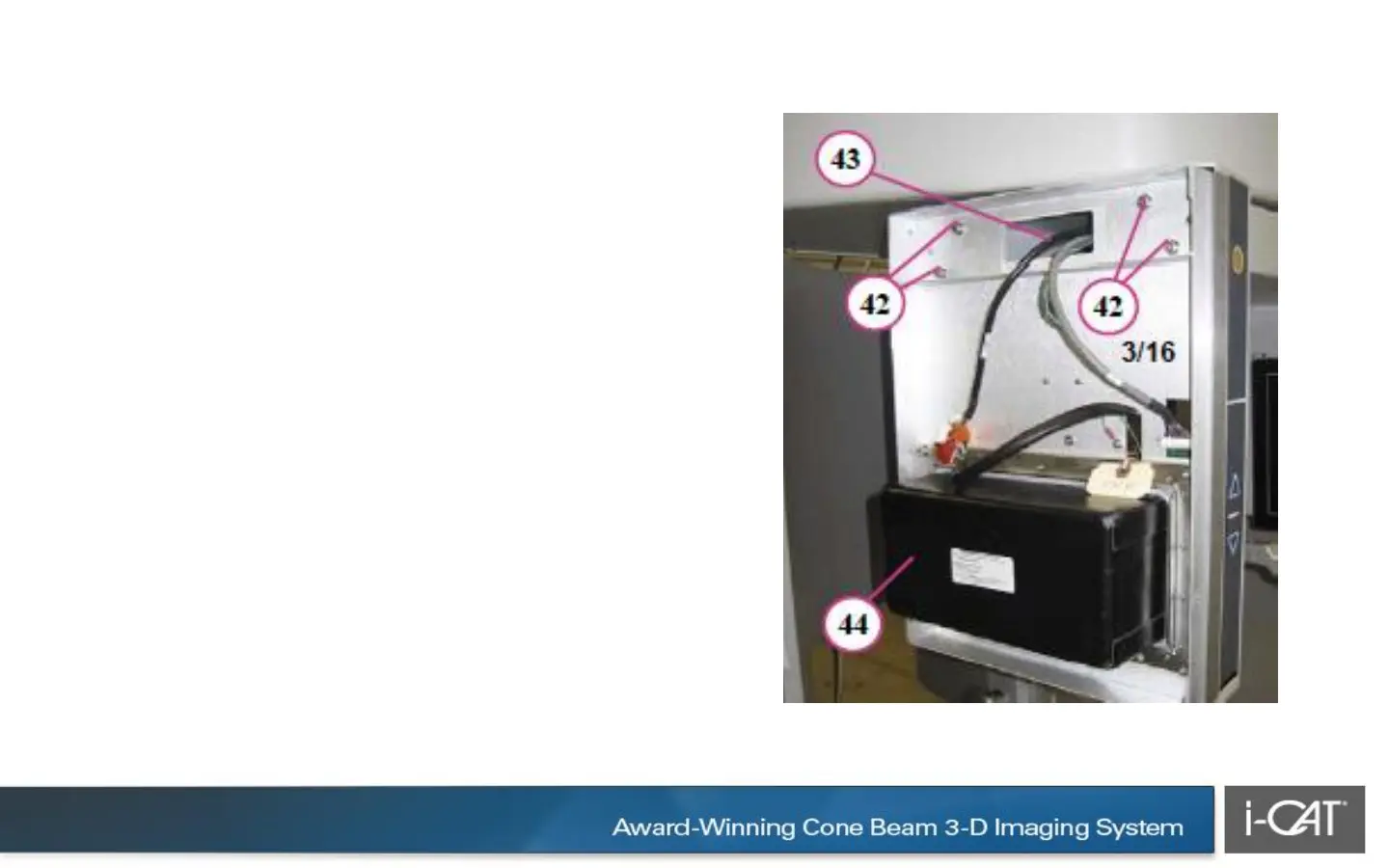
41. With an assistant, align X-ray source
assembly mounting pins.
42.Attach assembly using the four
mounting screws previously removed
from red shipping plate along with four
split washers.
43.Draw the 3 cables out through the
opening. Ensure that the cables are not
stretched or damaged.
44.Record label information that is
required on Installation Sheet (Serial
Number, etc.). • black cable (2
connectors) • grey cable (single
connector) • green ground cable (ground
lug)


 To Next Page
 Loading...

