30
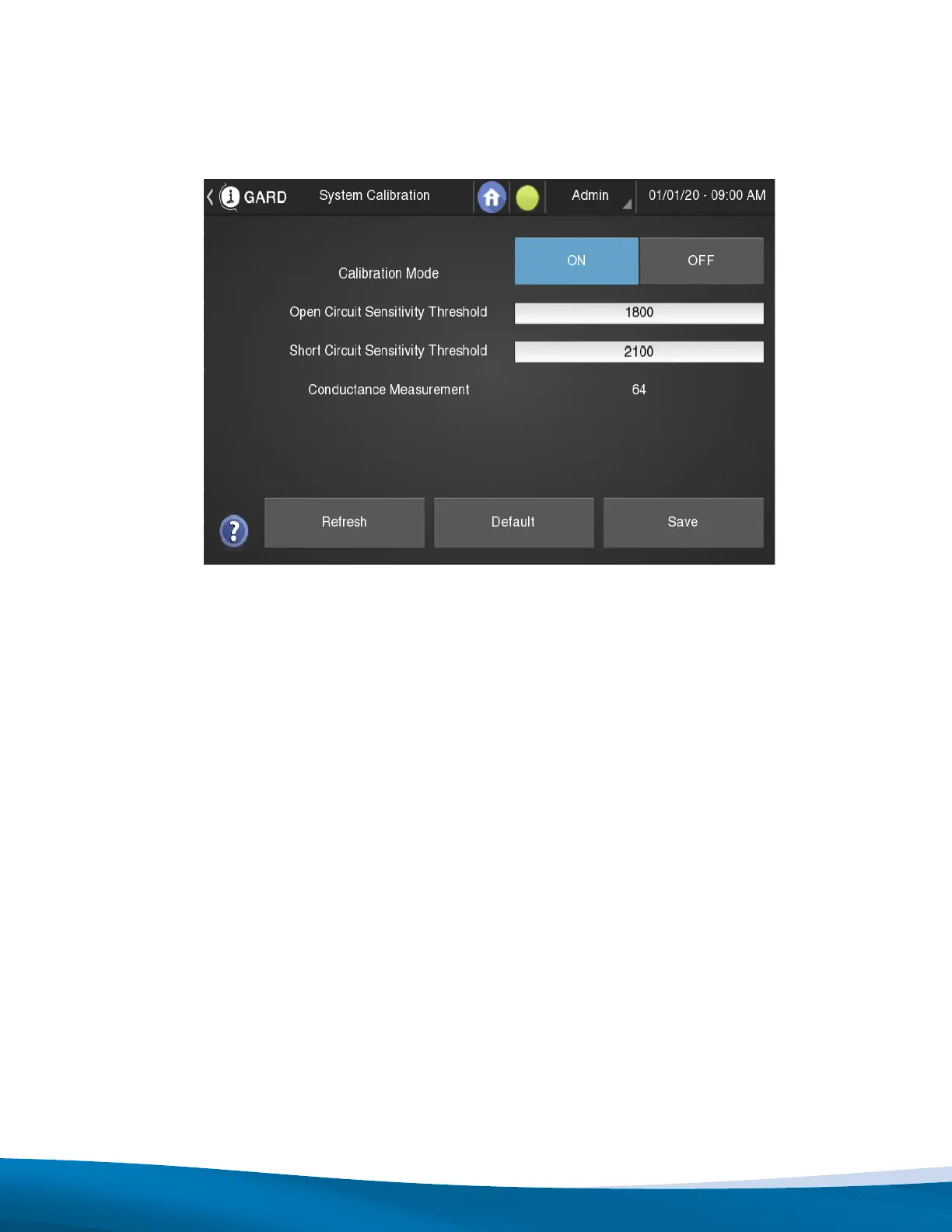
3. From the home page, navigate to SETTINGS -> SYSTEM CALIBRATION as shown below.
4. With the system in its stable normal operating conditions observe the value of “Conductance Measurement”.
Note this value as CM (normal).
5. Turn “Calibration Mode” to ON.
6. Calculate and set the new “Open Circuit Sensitivity Threshold” as = 70% * CM(normal).
7. Calculate and set the new “Short Circuit Sensitivity Threshold” as = 2 * CM(normal).
8. Turn “Calibration Mode” to OFF.
9. Return to home screen.
Figure 10.6: Sigma3 Calibration Page


 To Next Page