EasyManua.ls Logo

I-gotU GT-600 - User Manual

I-gotU GT-600
42 pages
Print Icon
To Next Page IconTo Next Page
Loading...
GPS Logger
GPS Logger package comes in two specifications, GPS Logger (USB) & GPS Logger (Bluetooth). Please check the package contents as
shown below before getting started.
Package contents & specifications
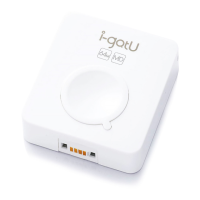
The GPS Logger package comes with 1 @trip PC CD-ROM, 1 GPS data logger, 1 GPS Logger Dock/ USB Cable, and 1 color jelly case.
GT-120
Dimension
44.5 x 28.5 x 13mm
Weight
20g
Chipset
Built-in SiRF StarIII
low-power chipset
Antenna
Built-in GPS patch antenna
Battery
Built-in 230mAh Lithium-ion
battery
LED indicators
Blue & Red
Cold start
< 35 seconds
Warm start
< 35 seconds
Connection
interface
USB 1.1
Operation
temperature
-10 °C to + 50 °C
Water-resistant
Yes
GT-120 package contents
GT-200e
Dimension
46 x 41.5 x 14 mm
Weight
37g
Chipset
Built-in SiRF StarIII
low-power chipset
Antenna
Built-in GPS patch antenna
Battery
Built-in 750 mAh Lithium-ion
battery
LED indicators
Blue & Red
Cold start
< 35 seconds
Warm start
< 35 seconds
Connection
interface
USB 1.1 for PC connection;
Bluetooth V2.0 EDR Class 2
for PDA & mobile phones
Operation
temperature
-10 °C to + 50 °C
Water-resistant
Yes
GT-200e package contents
Question and Answer IconNeed help?

Do you have a question about the I-gotU GT-600 and is the answer not in the manual?

Summary

Getting Started with GPS Logger

Install @trip PC Software

Step-by-step guide to install the @trip PC software on your computer.

Charge the GPS Logger

Instructions on how to charge the GPS Logger using the provided dock or cable.

Power On;Off GPS Logger

How to turn the GPS Logger device on and off using its button.

Initiate First GPS Fix

Guide to acquiring the initial GPS signal for accurate location tracking.

Data Import and @trip PC Usage

Process for importing logged GPS data into the @trip PC software.

Essentials For Beginners

Safety Information

Important precautions to ensure safe operation and prevent device damage.

Use GPS Logger as GPS Receiver

Connecting GPS Logger to PC

How to set up the GPS Logger to function as a receiver for navigation software.

Bluetooth GPS Receiver Setup

Pairing and configuring the GPS Logger for Bluetooth-based navigation.

@trip PC Software Guide

Hardware Settings Configuration

Configuring tracking modes and device behavior via @trip PC.

Software Settings Configuration

Adjusting @trip PC preferences like update reminders and units.

Starting a Trip with @trip PC

Compose Trip Features

Photo Locator Tool

Share A Trip

Upload to @trip Server

Sharing trip data by uploading it to the @trip online service.

Device Settings Configuration

Hardware Settings Configuration

Configuring GPS device hardware parameters like password and startup method.

Software Settings Configuration

Adjusting @trip PC software preferences and settings.

Track Management

I-gotU GT-600 Specifications

General IconGeneral
BrandI-gotU
ModelGT-600
CategoryGPS
LanguageEnglish

Related product manuals