CHAPTER 5 - OPERATION
3.1 Operation
· Please remove the charger from the buggy before turning the ignition key on.
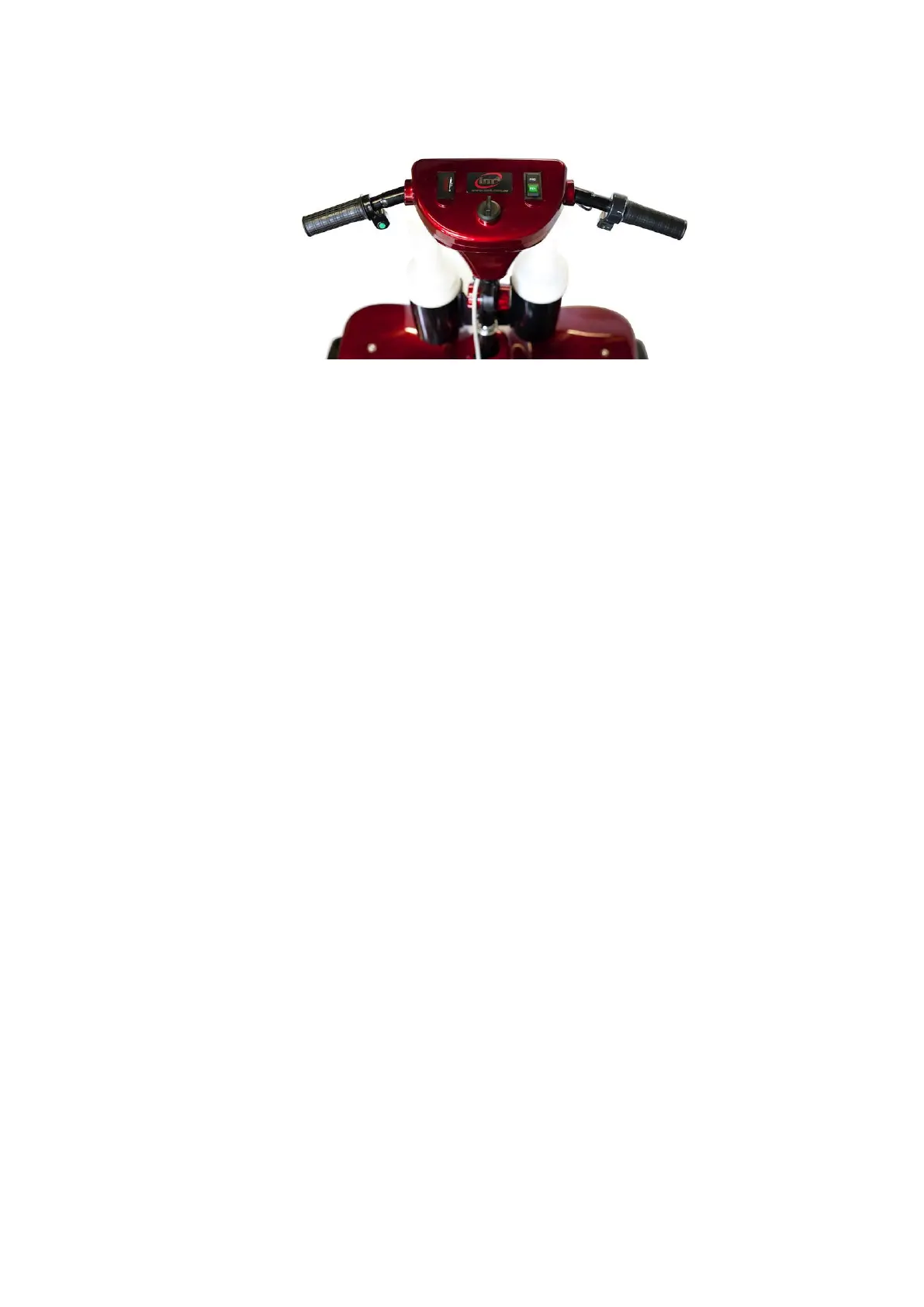
· Turn ignition key on.
· Ensure charge indicator is sufficient.
· Press FWD to move forward.
· Press REV to move in reverse.
· Turn throttle clockwise to increase speed.
· Release throttle to slow down or stop.
· Brake pedal is for emergency stop only.
· When the throttle is released the back wheel is locked automatically for parking on
inclines or declines.
Motor brake handle
· The electromagnetic brake lever (free wheel lever) can be found under the body
attached to the motor.
· Make sure the electromagnetic brake lever is in the vertical position to engage the
motor.
· Dis-engage the electromagnetic brake lever to free wheel the vehicle.
Battery charging Point
· The battery charger socket is located under the seat.
· Ensure the cover is replaced after charging.
Power display
· Running time will change according to ground conditions and terrain.
· FULL CHARGE: LED light/bar is at the top
· MINIMAL CHARGE: LED light/bar is at the bottom
Seat
· The seat height can be adjusted to 3 positions using the bolts at the top end of the
suspension spring.
· The seat can have a quick-release system fitted to allow easier seat removal.



 To Next Page