EN 7
WARNING
Do only change the microSD card when the device is switched o . Do not try to insert or remove
the microSD card when any external power supply is connected, otherwise the microSD card
may be damage.
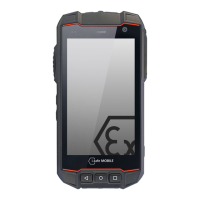
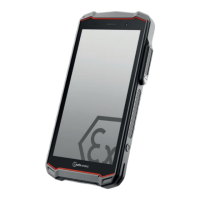
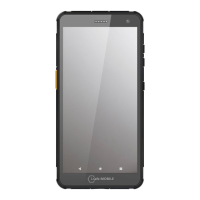
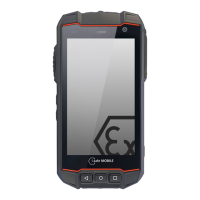
KEYS AND SPECIAL FEATURES
(see illustration on page 2)
1 CONTROL LED: Control LEDs for charging and noti cation.
2 SOS BUTTON: Long press automatically selects an emergency number stored by you.
This function can only be used in conjunction with an optionally available LWP app.
3 POWER KEY: Long press to power ON/OFF the device. Short press to power ON/OFF
the standby mode.
4 CAMERA: Front camera.
5 MAGNETIC CHARGER PORT: To charge the device with the delivered magnetic
i.safe PROTECTOR 3.0 USB cable.
6 SIDE KEY RIGHT: Optional key used by di erent apps.
7 HOME KEY: To go back to the homescreen.
8 CURRENT APPLICATION: Close all applications.
9 BACK KEY: Back to previous screen mask.
10 MICRO USB TYP C: To charge and to connect the device with the delivered
i.safe PROTECTOR 2.0 USB cable.
11 EARPHONE JACK: To connect an earphone.
12 LOUDNESS CONTROL: Volume up.
13 LOUDNESS CONTROL: Volume down.
14 SIDE KEY LEFT: Optional key used by di erent apps.
SETTING PASSWORD
In settings a passwort is required, use standard password “1234”.
IMPORTANT INFORMATION!
FACTORY RESET/ACTIVATE OEM MODE
If you have set up a Google
TM
Account, it is important to proceed with the following steps be-
fore you make a factory reset. This ensures that all private data will be deleted on the device:
<Settings>
<About phone> tip seven times on <Build number> (to activate the de-
veloper mode) back to <Settings> <Developer options> enable <OEM unlocking>
enable back to <Settings> <Backup & reset> <Factory data reset>
If you do not enable the OEM unlocking, the device will always ask you to sign in with the
previously synced Google Account after the restart. In that case the device is unusable for
other user.


 To Next Page