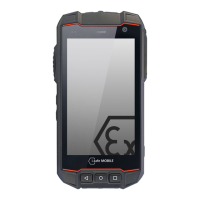
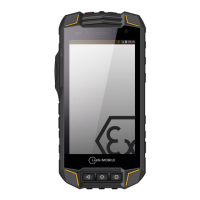
8
IMPORTANT INFORMATION!
FACTORY RESET / ACTIVATE OEM MODE
If you have set up a Google Account, it is important to proceed with the following
steps before you make a factory reset. This ensures that all private data will be deleted
on the device:
Settings
About phone tip seven times on Build number (to activate the deve-
loper mode) back to Settings Developer options enable OEM unlocking
enable back to Settings Backup & reset Factory data reset
If you do not enable the OEM unlocking, the device will always ask you to sign in with
the previously synced Google Account after the restart. In that case the device is
unusable for other user.
KEYS AND SPECIAL FEATURES
(see illustration on page 2)
1 MICRO USB: Connect to external USB device or other mobile device.
Do not open the earphone jack in hazardous areas.
2 EARPHONE JACK: The the earphone built-in speaker will be shut down automati-
cally when is plugged in. Do not open the earphone jack in hazardous areas.
3 VOLUME UP KEY: To control the volume.
4 VOLUME DOWN KEY: To control the volume.
5 POWER KEY: Short press to activate screen lock, long press to power on and o .
6/7 SIDE KEY: Optional key used by di erent apps.
8 SD CARD SLOT: Compartment for micro SD card on the back of the device.
9 SIM CARD SLOTS: Compartment for micro SIM cards on the back of the device.
10 WIRELESS CHARGING AND NFC AREAS: Under ATEX marking on the back of
the device.
11 BACK KEY: Return to previous screen.
12 HOME KEY: Return to Home screen.
13 RECENTLY USED APPS: Shows all recently used applications.
RECYCLING
The crossed-out wheeled-bin symbol on your product, battery, literature, or
packaging reminds you that all electrical and electronic products, batteries, and
accumulators must be taken to separate collection at the end of their working life.
This requirement applies in the European Union. Do not dispose of these products as
unsorted municipal waste.
Always return your used electronic products, batteries, and packaging materials to
dedicated collection points. This way you help prevent uncontrolled waste disposal
and promote the recycling of materials.
More detailed information is available from the product retailer, local waste autho-
FACTORY RESET / ACTIVATE OEM MODE
FACTORY RESET / ACTIVATE OEM MODE
FACTORY RESET / ACTIVATE OEM MODE
If you have set up a Google Account, it is important to proceed with the following
If you have set up a Google Account, it is important to proceed with the following
If you have set up a Google Account, it is important to proceed with the following
steps before you make a factory reset. This ensures that all private data will be deleted
steps before you make a factory reset. This ensures that all private data will be deleted
steps before you make a factory reset. This ensures that all private data will be deleted
steps before you make a factory reset. This ensures that all private data will be deleted
If you do not enable the OEM unlocking, the device will always ask you to sign in with
the previously synced Google Account after the restart. In that case the device is
KEYS AND SPECIAL FEATURES
(see illustration on page 2)
Connect to external USB device or other mobile device.
Do not open the earphone jack in hazardous areas.
The the earphone built-in speaker will be shut down automati-
cally when is plugged in. Do not open the earphone jack in hazardous areas.
Short press to activate screen lock, long press to power on and o .
Optional key used by di erent apps.
Compartment for micro SD card on the back of the device.
Compartment for micro SIM cards on the back of the device.
WIRELESS CHARGING AND NFC AREAS:
Under ATEX marking on the back of
Return to previous screen.
Shows all recently used applications.
The crossed-out wheeled-bin symbol on your product, battery, literature, or
packaging reminds you that all electrical and electronic products, batteries, and
accumulators must be taken to separate collection at the end of their working life.
This requirement applies in the European Union. Do not dispose of these products as
unsorted municipal waste.
Always return your used electronic products, batteries, and packaging materials to
dedicated collection points. This way you help prevent uncontrolled waste disposal
and promote the recycling of materials.
More detailed information is available from the product retailer, local waste autho-


 To Next Page
 Loading...