EN 7
WARNING
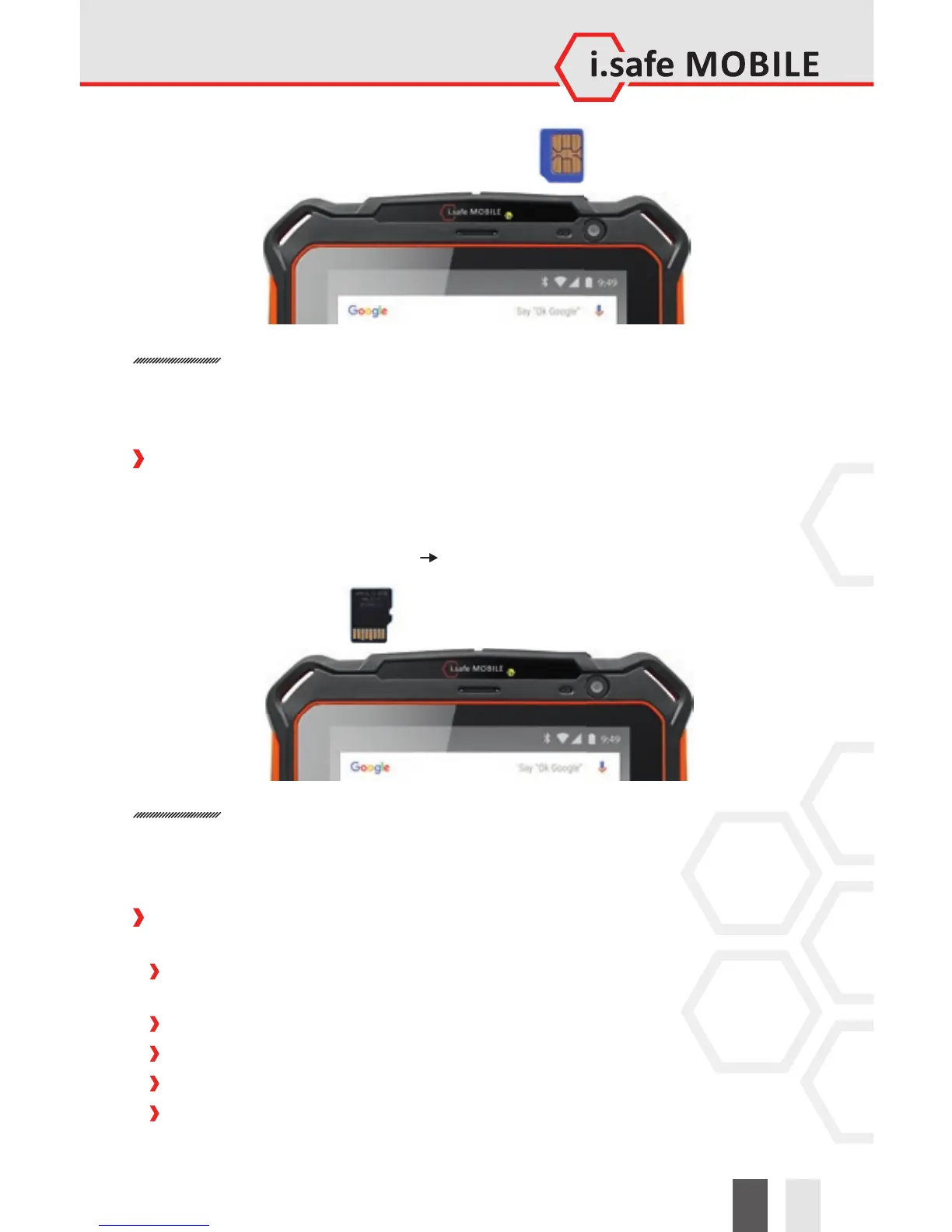
Do only change the SIM card when the device is switched o . Do not try to insert or
remove the SIM cards when any external power supply is connected, otherwise the
SIM card may be damaged.
INSTALLATION OF THE microSD CARD
The device features a microSD card slot (up to 32GB). The slot for the microSD card
is on the top of the device (see page 2). If you want to remove the microSD card, please
make sure that the card is not in use by the device. To remove the microSD card follow
the instructions given in <Settings> <Storage>.
WARNING
Do only change the microSD card when the device is switched o .
Do not try to insert or remove the microSD card when any external power supply is
connected, otherwise the microSD card may be damaged.
KEYS AND SPECIAL FEATURES
(see illustration on page 2)
1 SOS KEY: Long press automatically selects an emergency number stored by you.
This function can only be used in conjunction with an optionally available LWP app.
2 SD CARD SLOT: Use for microSD card.
3 SIM CARD SLOT: Use for SIM card.
4 CAMERA: Front camera.
5 VOLUME UP KEY: Volume up.


 To Next Page