EasyManua.ls Logo

i-Star 90058PI - User Manual

i-Star 90058PI
11 pages
Print Icon
To Next Page IconTo Next Page
Loading...
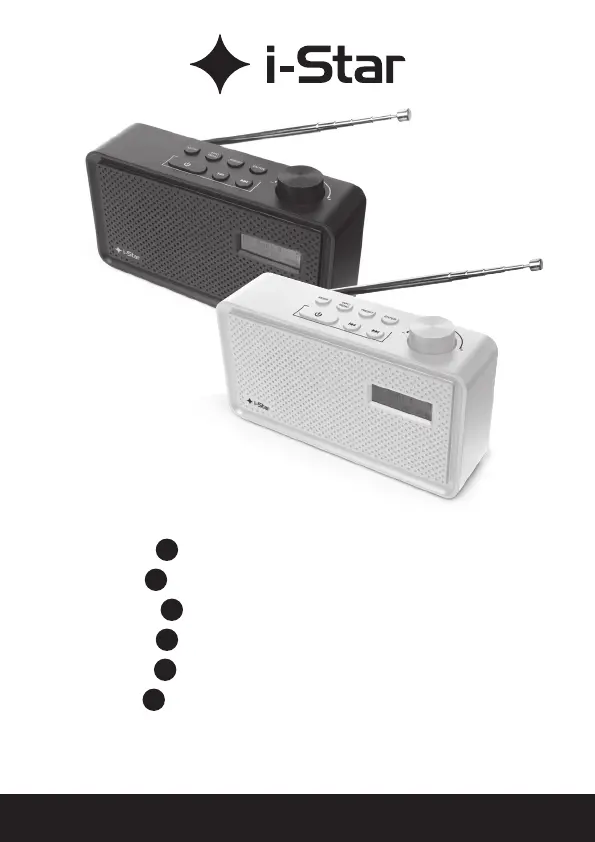
www.philex.com PORTABLE DAB RADIO - User Guide 1
90058PI & 90059PI
EN
PORTABLE DAB RADIO
DE
TRAGBARES DAB-RADIO
ES
RADIO DAB PORTÁTIL
FR
RADIO DAB PORTABLE
IT
RADIO DAB PORTATILE
NL
DRAAGBARE DAB-RADIO
User guide / Benutzerhandbuch / Guía del usuario / Mode d’emploi
Guida utente / Gebruikershandleiding
www.philex.com

Questions and Answers

Summary

Box Contents

Introduction to Your Radio

Radio Features and Controls

Top View Controls

Overview of controls on the top panel of the radio.

Front View Controls

Overview of controls on the front panel of the radio.

Back View Ports and Controls

Overview of controls and ports on the back panel of the radio.

Charging and Powering On

Initial Charging Procedure

Instructions for charging the built-in battery for the first time.

First Time Power On and DAB Autoscan

Procedure for powering on the radio for the first time and performing an automatic DAB scan.

DAB Radio Operations

Tuning DAB Stations

How to navigate and select DAB radio stations.

DAB Menu Options

Accessing and using various DAB menu functions.

DAB Menu Options - Full Scan

Performing a full scan to find available DAB stations.

DAB Menu Options - Manual Tune

Manually tuning to specific DAB frequencies.

Preset Station Management

Preset Store Operation

Saving favorite DAB/FM stations to preset memory slots.

Preset Recall Operation

Recalling saved stations from preset memory slots.

Preset Store;Change Operation

Saving or changing existing favorite station presets.

FM Radio Operations

Switching Between DAB and FM

How to switch between DAB and FM radio modes.

FM Menu Options

Accessing and using various FM menu functions.

FM Menu Options - Scan Setting

Configuring how the radio scans for FM stations.

FM Menu Options - Audio Setting

Adjusting audio settings for FM reception.

System Menu and Settings

System Menu Options - Sleep Timer

Setting the automatic sleep timer for the radio.

System Menu Options - Time

Setting the current time and date on the radio.

System Menu Options - Backlight Level

Adjusting the brightness level of the LCD display.

System Menu Options - Language

Selecting the user interface language.

Troubleshooting and Tips

Troubleshooting Common Problems

Solutions for common issues like no reception or no sound.

Usage Tips

Recommendations for optimal radio performance and updates.

Specifications and Support

Product Specifications

Technical details including frequency ranges, power, and dimensions.

Disclaimer and Declarations

Information on firmware updates, conformity, and legal notices.

Technical Support Information

How to get help for setup or usage issues.

i-Star 90058PI Specifications

General IconGeneral
DisplayLCD
Dimensions16 x 4.5 x 10 cm
SpeakerBuilt-in
TypePortable
Frequency RangeFM: 87.5-108 MHz
Power SupplyBattery
Headphone Jack3.5mm

Related product manuals