SPECIFICATION
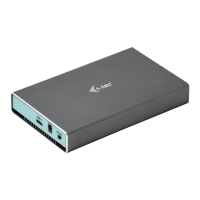
External encryption USB 3.0 case for 2.5“ SATA I / II / III hard
discs
Encryption AES256
Transmission interface 1x USB 3.0, backward compatible
with USB 2.0
Compatible with 2.5" SATA HDD (with a height up to 9.5 mm)
Support for the following transfer speeds: SuperSpeed (5
Gbps) / HighSpeed (480 Mbps) / FullSpeed (12 Mbps) /
LowSpeed (1.5 Mbps)
Plug & Play support
Active LED diodes indicate the case status
Power supply 5 V, 900 mA
Weight 91 g
Dimensions 18 x 78 x 120 mm
SYSTEM REQUIREMENTS
Windows XP/Vista/7/8/8.1/10 32/64bit, Mac OS 10.x and
higher – automatic installation of drivers from the system.
A free USB port (for maximum use of the HDD speed we
recommend a USB 3.0 port).
HARDWARE INSTALLATION OF SATA HDD
Follow the following instructions:
1) Remove the back cover.
2) Insert the HDD.
3) Insert the back cover.
DESCRIPTION OF THE PUSHBUTTONS AND LED
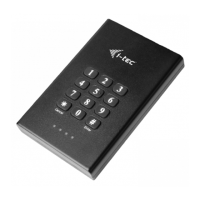
Buttons 0-9: used for password entering
Button * (cancel): use this button when incorrect password is
entered
Button # (enter): use this button to confirm the entered
password
Red LED: ON when the disc is locked. When entering an
incorrect code, it will blink twice.
Green LED: ON when connected to the computer. Flashing
during data transfer.
Orange LED: ON when setting or changing the code.
Blue LED: ON when the disc is unlocked. During unlocking
and setting it will blink once during each pressing of a digit.
INITIAL SETTINGS OF THE ENCRYPTION CASE
Caution: During activation of the case, all data on the HDD
will be lost. Therefore, we recommend to use a brand new
HDD or to copy the data to another storage.
i-tec MySafe USB 3.0 Secret
N
G
L
E I
SH
EN
03


 To Next Page