Need help?
Do you have a question about the i-tec MYSAFE USB 3.0 and is the answer not in the manual?
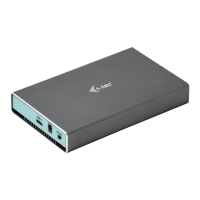
Details the external USB 3.0 case for M.2 B-Key SATA SSDs, including interface and compatibility.
Covers transfer rates, Plug & Play function, and LED indicators.
Outlines operating system requirements and recommended USB port for optimal performance.
Step-by-step instructions for opening the case, installing the M.2 disc, and reassembling the unit.
Explains the automatic driver installation for Windows and macOS upon device connection.
Detailed steps for initializing and formatting a new HDD for correct device function.
Lists all items included in the package: external case, USB cable, screwdriver, and user's guide.
Provides essential safety guidelines for usage, handling, and service cooperation.
Explanation of the recycling symbol and the requirement for separate disposal of electronic equipment.
Identifies the manufacturer, product name, and model number for conformity purposes.
States the product's intended use as PC equipment and lists relevant EU directives.
Lists specific EMC, EMI, Electrical Safety, and RoHS standards met by the product.
Details the identification mark and provides signature from authorized personnel.
Confirms the equipment has been tested and complies with FCC Class B digital device limits.
 General
| Interface | USB 3.0 |
|---|---|
| Supported HDD/SSD Size | 2.5" |
| Material | Plastic |
| Power Supply | USB bus-powered |
| Compatibility | Windows, macOS, Linux |
| Product Type | Enclosure |
| Supported Drive Type | HDD/SSD |


 To Next Page