4
|
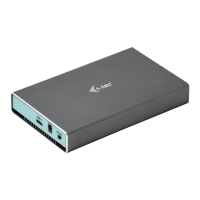
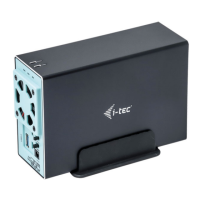
MySafe USB 3.0 / USB-C 2x 3.5″ HDD RAID External Case
ENGLISH
SPECIFICATION
• External USB 3.0 case for 2x 3,5” SATA I / II / III hard drives
• Transmission interface: 1x USB 3.0
• Compatible with all 3.5“ SATA HDD (up to capacity 8 TB)
• Compatible with USB-C interface with included USB-C to USB 3.0 cable
• Plug & Play function support
• Active LED diodes indicating the case state (illuminates - is connected, flashes - a
writing/reading procedure in progress)
• RAID field switch
• Power supply 12 V, 4 A
• Fan
• Weight: 458 g
• Dimensions: 180 x 113 x 64 mm
PACKAGE CONTENT
• External case for 2x 3,5” HDD/SSD
• USB 3.0 cable - length 80cm
• USB-C to USB 3.0 cable - length 80cm
• Screw-driver
• Screws
• Stand
• User manual
SYSTEM REQUIREMENTS
• Windows 7/8/8.1/10 32/64bit – automatic installation of the drivers from the system
• Mac OS 10.x and higher – automatic installation of the drivers from the system
• Linux, Android, Chrome – automatic installation of the drivers from the system
• Free USB-C or USB-A port
SATA HDD HARDWARE INSTALLATION
Proceed according to the following instructions:
1.
Eject the inner part with the motherboard.
2.
Attach HDD to the motherboard.
3.
Inserted HDD screw on both sides.
4.
Put this set back to the case and screw it on the bottom part.
5.
Put the case into stand
6.
Connect the USB 3.0 or USB-C/A cable to the case and to the computer.
7.
Set the RAID field - see article "RAID field setting"
8.
Detection and automatic installation will be performed.
9.
Device is ready for use now.
RAID FIELD SETTING
Attention: By changing the setting, you will always lose your already saved data.
1.
At the switch, select one of three options of connection of the disks in dependence
on the need of use.
A) Raid 0 – stripping/sum of disks, writing to the both simultaneously, interlaced
(flash the both LED). A benefit is a high writing/reading speed. Attention: In case of a
failure of one of the disks, all data will be lost
B) JBOD/separate disks – There is reported as two separate disks in the system
(flashes LED depending on a disk to which the record is being performed)
C) Raid 1 – Mirroring (both LEDs flash at writing, in case of reading - just one). In case
of a failure of one of the disks, data will not be lost.
2.
While the case is connected and switched-on, push the Reset button for 5 seconds.
The RAID field will be readjusted.
3.
Format the disks.


 To Next Page
 Loading...