6
Setting up GPS / GSM Tracker
1. SIM Card Installation
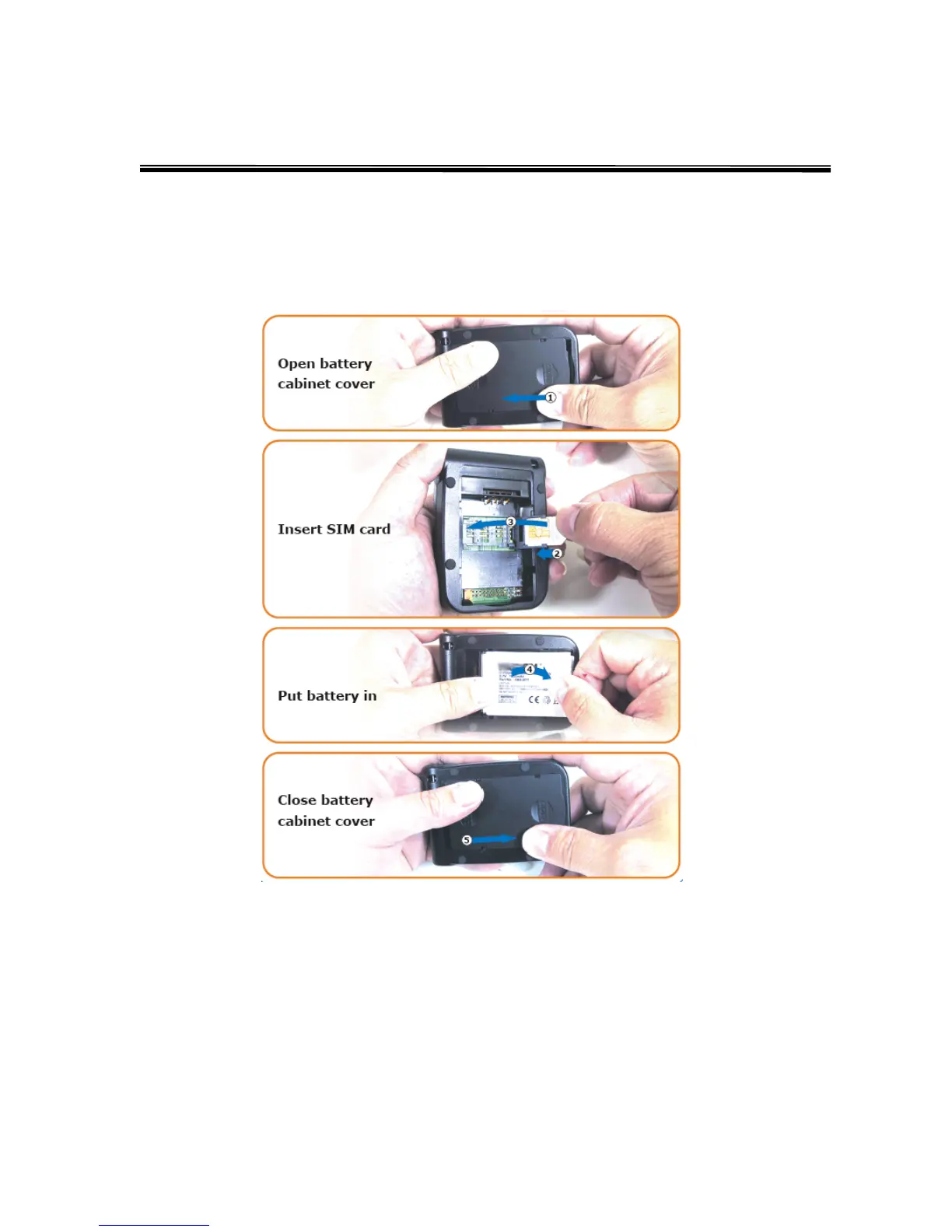
SIM card slot is located inside the battery cabinet. Please open the battery cover
underneath the tracker to locate SIM card slot. If the battery is already installed, please
remove the battery to reveal the SIM card slot. Follow the figures below to install the SIM
card.
2. Charging Battery
It is recommended to charge the battery for overnight when you use the tracker for the
very first time. When the power is full, the battery LED will turn green. With subsequent
use, the battery will take about 3 – 4 hours to fully charge.



 To Next Page