9
Tracking with Bluetooth Decoder (Cont.)
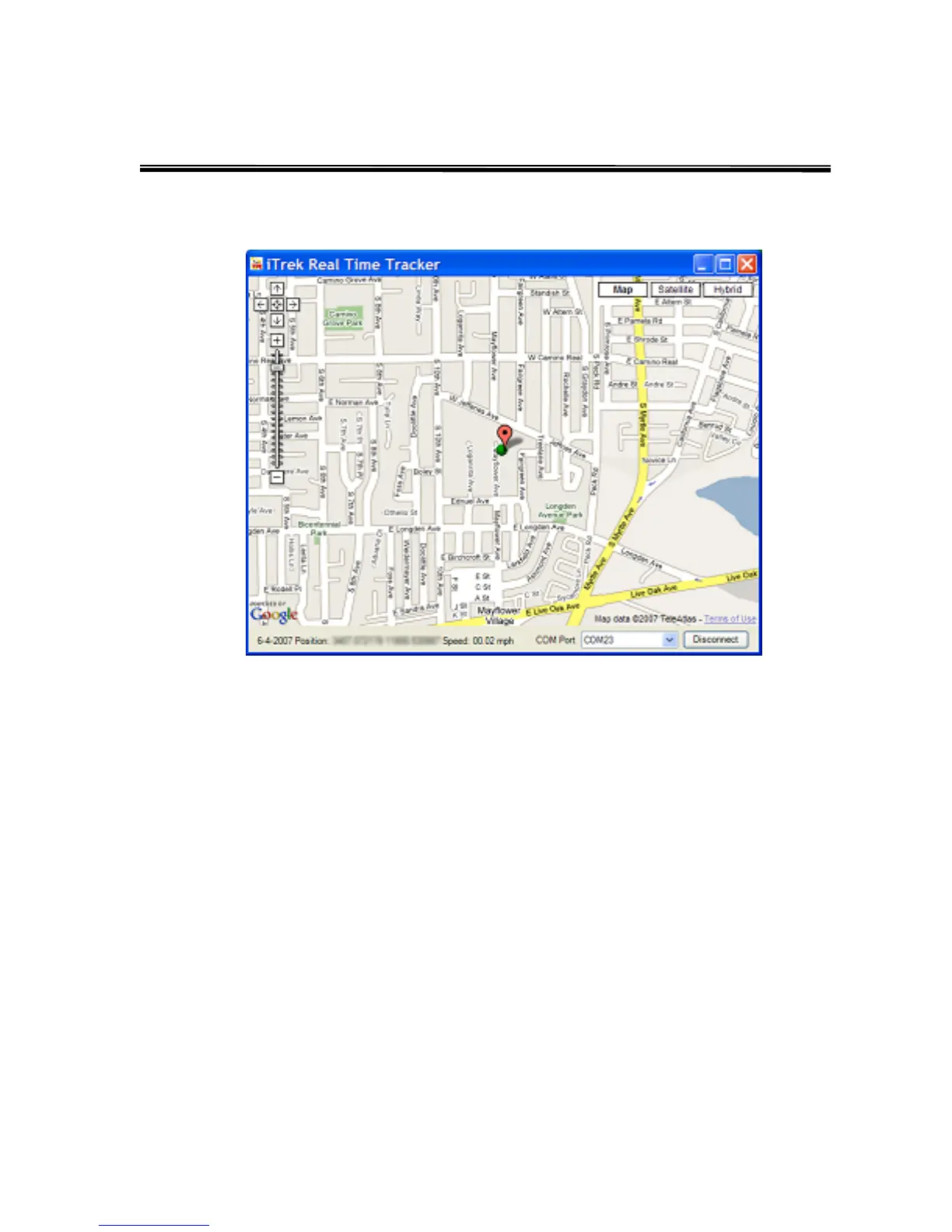
6. Using i.Trek Real Time Tracking software
(1) Current Location – Display current location of the tracker
(2) Starting Location – Display starting location of the tracker
(3) Map View – Display streets and street names
(4) Satellite View – Display satellite image
(5) Hybrid View – Display streets and street names on top of satellite image
(6) Moving Arrow – Scroll the map in the direction of the arrow
(7) Zoom – Move the slider up or down to zoom in or zoom out
(8) Date – Display the current date
(9) Position – Display longitude and latitude of the tracker
(10) Speed – Display the speed of the tracker
(11) Com Port – Select the com port which communicates with the Bluetooth decoder
(12) Connection – Connect or disconnect Bluetooth decoder from the program
(3) (4) (5)
(6)
(7)
(8) (9)
(10)
(11) (12)
(1)
(2)



 To Next Page