13
Installation Connecting and Setting Menu Operation Troubleshooting Care Maintenance
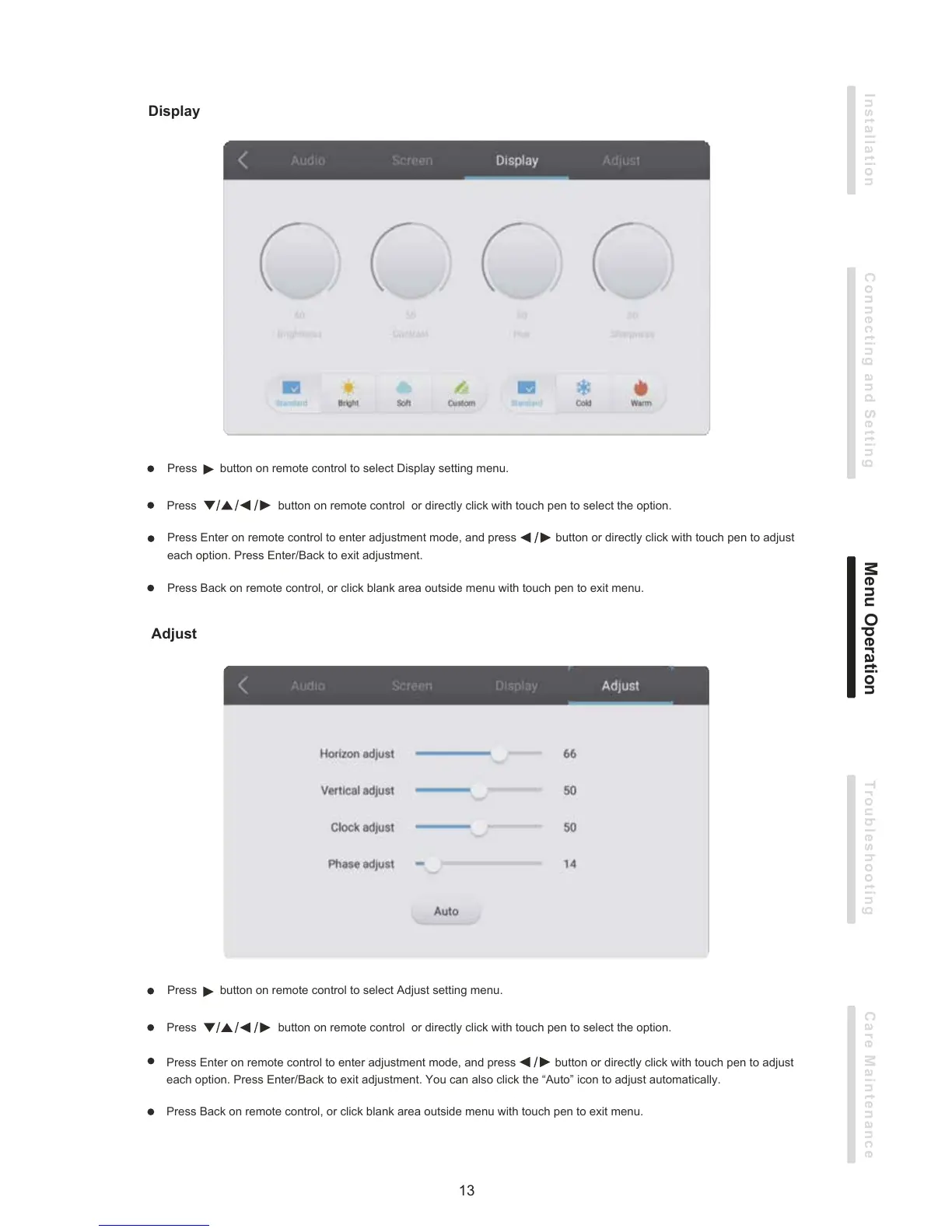
Display
Adjust
Press Back on remote control, or click blank area outside menu with touch pen to exit menu.
Press button on remote control or directly click with touch pen to select the option.
Press button on remote control to select Adjust setting menu.
Press Enter on remote control to enter adjustment mode, and press button or directly click with touch pen to adjust
each option. Press Enter/Back to exit adjustment. You can also click the “Auto” icon to adjust automatically.
Press Back on remote control, or click blank area outside menu with touch pen to exit menu.
Press button on remote control or directly click with touch pen to select the option.
Press button on remote control to select Display setting menu.
Press Enter on remote control to enter adjustment mode, and press button or directly click with touch pen to adjust
each option. Press Enter/Back to exit adjustment.


 To Next Page