IACER Srl 19 MNPG53-07
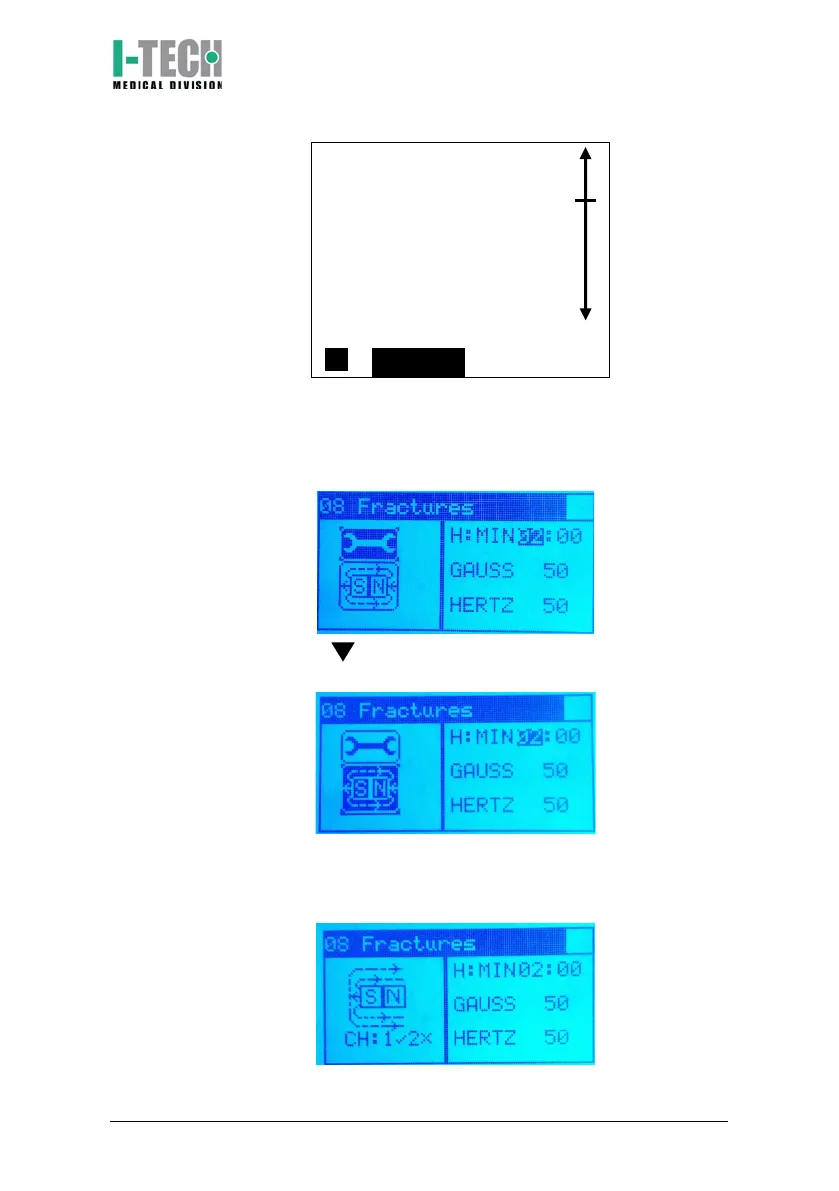
2. The display will show the basic therapy time setting (from the
figure, 2 hours) and the magnetic field intensity (50G) of the
selected program. These are average values suggested by IACER to
start the treatment immediately and effectively.
3. Press the button by highlighting the magnet icon in the lower
left then press OK.
4. The device will begin the treatment, displaying the magnet icon
with the magnetic field flow on the display. The green light below
the display alerts you to the current therapy.


 To Next Page