IACER Srl 22 MNPG53-07
Follow the same device installation procedures present in the section
Connections and power on. Follow the below steps:
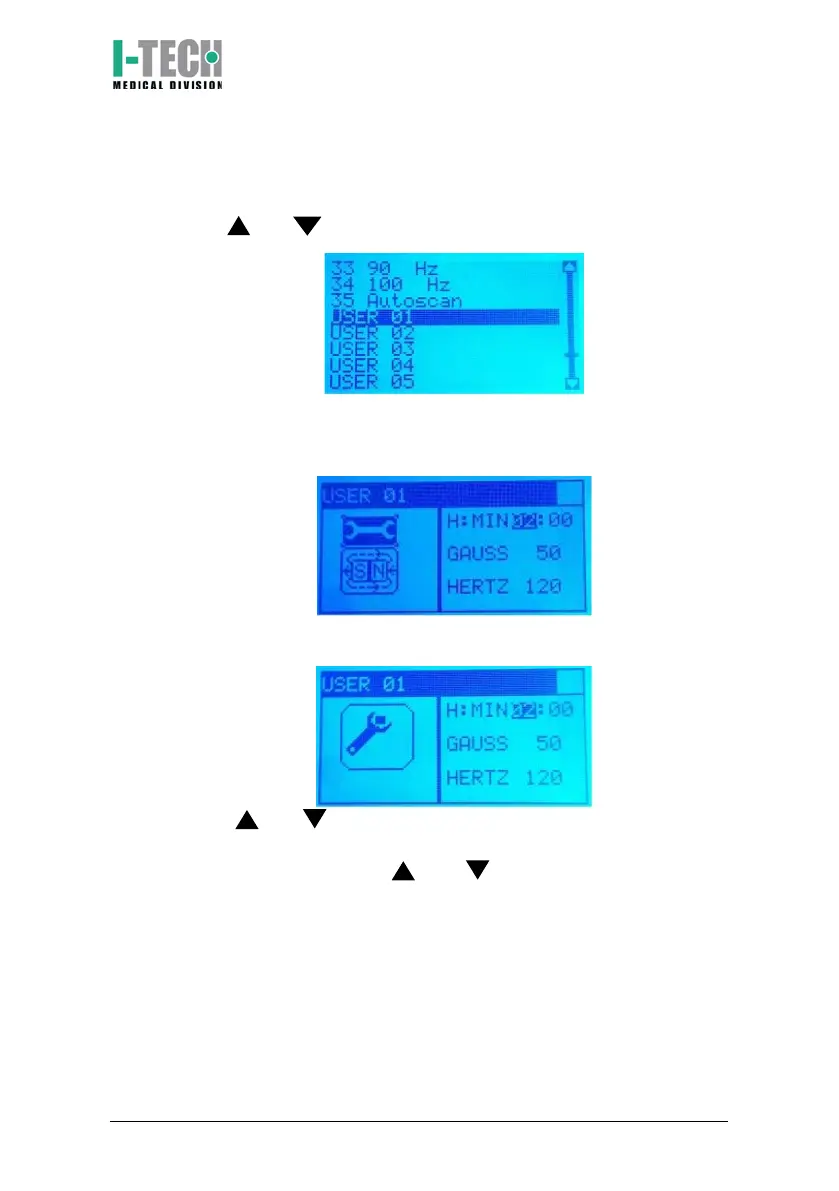
1. Within the menu, scroll through the list of programs by using the
keys and , then select the desired program and press OK.
2. Screen will display base setting with therapy time (2 hours) and
magnetic field intensity (50 int.). These parameters can be
modified.
a. To modify the parameters press OK button. Screen displays a
moving key icon on the left side.
b. Press and keys to adjust the desired therapy hours (from 0
to 24) and confirm by pressing OK key. Screen will highlight the
therapy minutes. Press and keys to adjust the desired
therapy minutes and confirm by pressing OK key. Screen will
highlight treatment intensity.


 To Next Page