IACER Srl 23 MNPG53-07
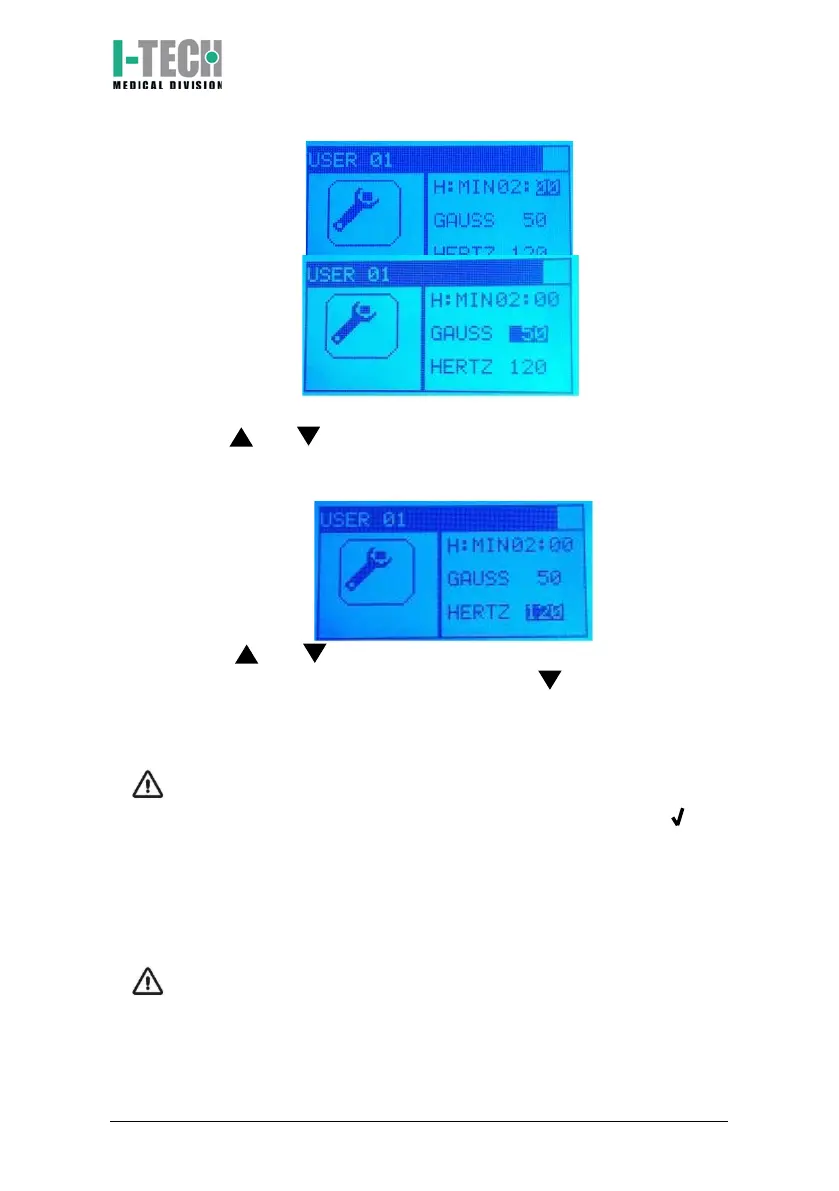
c. Press and keys to adjust the treatment intensity (from 0 to
200 Gauss) and confirm by pressing OK key. Screen will highlight
the working frequency.
d. Press and keys to adjust the working frequency (from 0 to
120) and confirm by pressing OK key. Press to start the therapy
and continue from step 2, press OK key to select the magnet icon
and to confirm the begging of the treatment.
ATTENTION: The device recognizes the correct connection of the
applicators. During the treatment, below the magnet icon, the
connection status is displayed. The presence of the symbol next
to the channel number (Ch1 or Ch2) confirms the correct
connection and recognition of the applicator. The symbol X next to
the number of the channel (Ch1 or Ch2) warns of the incorrect
connection of the applicator, its absence or its incorrect functioning
(see Functioning control paragraph).
ATTENTION: it’s possible to temporary stop the therapy at any time
by pressing OK key at least for 2 seconds. Press again OK key to
continue the treatment. During the pause time green led turns off
until the treatment restarts.


 To Next Page