Need help?
Do you have a question about the iBall Baton iB-WUA300N and is the answer not in the manual?
Provides a high-speed and unrivaled wireless performance for notebooks and PCs using 802.11n technology.
Details compliance with IEEE standards, data transfer rates, encryption support, and built-in antennas.
Explains the meaning of the adapter's LED indicator states (Off, Flashing Slowly, Flashing Quickly).
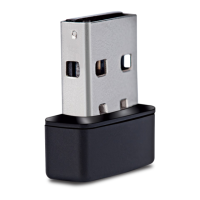
Describes the two methods for connecting the USB adapter to a computer: direct USB port or via USB cable.
Detailed steps for installing the wireless utility and drivers on Windows XP, including handling Windows Logo testing.
Outlines the software installation steps for Windows Vista and Windows 7, similar to XP but with specific prompts.
Displays adapter type, connection status, speed, SSID, signal strength, link quality, and IP information.
Allows adding, removing, editing, duplicating, and setting default configuration profiles for wireless networks.
Details how to view available wireless networks and connect to them by creating a profile.
Allows viewing detailed connection information, including manufacturer, driver version, encryption, and associated AP MAC.
Displays traffic statistics like transmitted/received packets, errors, and retry counts, with a reset function.
Guides through configuring the adapter using the PIN input method for Wi-Fi Protected Setup (WPS).
Details the Push Button Config (PBC) method for Wi-Fi Protected Setup (WPS), involving buttons on the adapter and AP.
 General
| Model | iB-WUA300N |
|---|---|
| Category | Adapter |
| Type | Wireless USB Adapter |
| Interface | USB 2.0 |
| Wireless Standards | IEEE 802.11b/g/n |
| Frequency Band | 2.4 GHz |
| Data Rate | Up to 300 Mbps |
| Security | WEP, WPA, WPA2 |
| Antenna | Internal Antenna |
| Operating Systems Supported | Windows XP/Vista/7/8/10 |
| Frequency Range | 2.4 GHz - 2.4835 GHz |

 To Next Page