Need help?
Do you have a question about the iBall Baton iB-WRB300N and is the answer not in the manual?
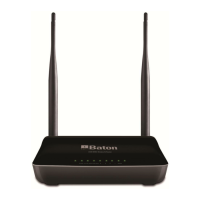
General overview of the iBall Baton 300M MIMO Wireless-N Router, covering standards and key capabilities.
Lists the essential items included in the router package, such as the router, power adapter, and cables.
Details the specific features and technical specifications of the wireless-N router.
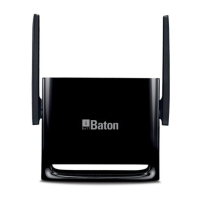
Description of the router's physical panel layout, including LEDs and ports.
Step-by-step guide to configure TCP/IP settings on a computer for network access.
Instructions for accessing the router's web-based configuration utility via a browser.
Guide for quickly setting up the internet connection using PPPoE or Dynamic IP.
Utilizes a quick wizard for streamlined configuration of WAN settings and wireless security.
Displays current WAN and system status of the router, including IP addresses and connection state.
Configuration options for various WAN Internet connection types like PPPoE, Static IP, Dynamic IP, PPTP, and L2TP.
Setup for PPPoE connection, requiring ISP-provided username and password.
Setup for Static IP connection, requiring ISP-provided IP address, subnet mask, and gateway.
Setup for Dynamic IP connection, typically obtaining settings automatically from the ISP.
Setup for PPTP connection, requiring PPTP server address, username, and password.
Setup for L2TP connection, requiring L2TP server address, username, and password.
Allows cloning of the router's WAN MAC address, often needed for ISP compatibility.
Configuration settings for WAN port speed and duplex mode, with AUTO recommended.
Configuration of Local Area Network (LAN) settings, including IP address and subnet mask.
Configuration for Domain Name System (DNS) servers to resolve domain names.
Configuration of the DHCP server for automatic IP address assignment to LAN clients.
Manages DHCP client list and allows reservation of static IP addresses for specific devices.
Basic configuration for wireless network parameters such as SSID, network mode, and channel.
Security options for the wireless network, including WEP, WPA-PSK, WPA2-PSK, and WPS.
Configuration for Wi-Fi Protected Setup (WPS) for easy wireless device connection.
Wireless security setup using WPA-PSK with TKIP or AES encryption.
Wireless security setup using WPA2-PSK with AES encryption for enhanced security.
Wireless security setup using WEP, supporting ASCII or Hexadecimal keys.
Controls wireless access by permitting or forbidding devices based on MAC addresses.
Displays current status of connected wireless clients, including MAC addresses and bandwidth.
Sets the router's operation mode, such as AP Router, WDS Bridge, or Universal Repeater.
Manages and regulates network traffic by setting bandwidth limits for IP address ranges.
Provides statistics on bandwidth usage by PCs on the LAN, showing uplink and downlink rates.
Configures port forwarding to allow external access to specific internal services like FTP or web servers.
Sets up a DMZ host, exposing a computer to the extranet by disabling firewall rules.
Configures Dynamic DNS service to map a domain name to a dynamic IP address.
Enables Universal Plug and Play for automatic network device discovery and port forwarding.
Displays the router's routing table, showing destination IP, subnet mask, and gateway information.
Allows manual configuration of static routes for network traffic management.
Controls access to websites by filtering URLs based on time and day settings.
Manages network access by filtering devices based on their MAC addresses.
Controls network access by filtering IP addresses and ports based on time and day.
Reboots the device to apply new settings and refresh network connections.
Restores the device to its original factory default settings.
Allows backing up current router configurations or restoring from a saved file.
Provides access to system logs for monitoring events and potential network issues.
Configures the device's system time manually or synchronizes it with Internet time.
Enables and configures remote access to the router's management interface over the Internet.
Allows changing the administrator login password for securing the router's interface.
Provides instructions for upgrading the router's firmware to the latest version.
 General
| Brand | iBall |
|---|---|
| Model | Baton iB-WRB300N |
| Router Type | Wireless Router |
| Wireless Standards | IEEE 802.11b/g/n |
| Frequency Band | 2.4 GHz |
| Maximum Speed | 300 Mbps |
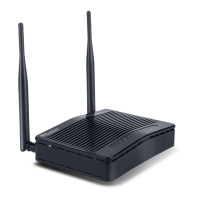
| Antenna | 2 x 5dBi External Antennas |
| Ports | 1 x 10/100M WAN, 4 x 10/100M LAN |
| Security | WPA, WPA2 |
| Power Supply | 5V DC, 1A |

 To Next Page