Using Microsoft Account
When you use Microsoft account to login to the device, you get many more
options to use like Web apps, Outlook, Cloud storage (OneDrive) etc.
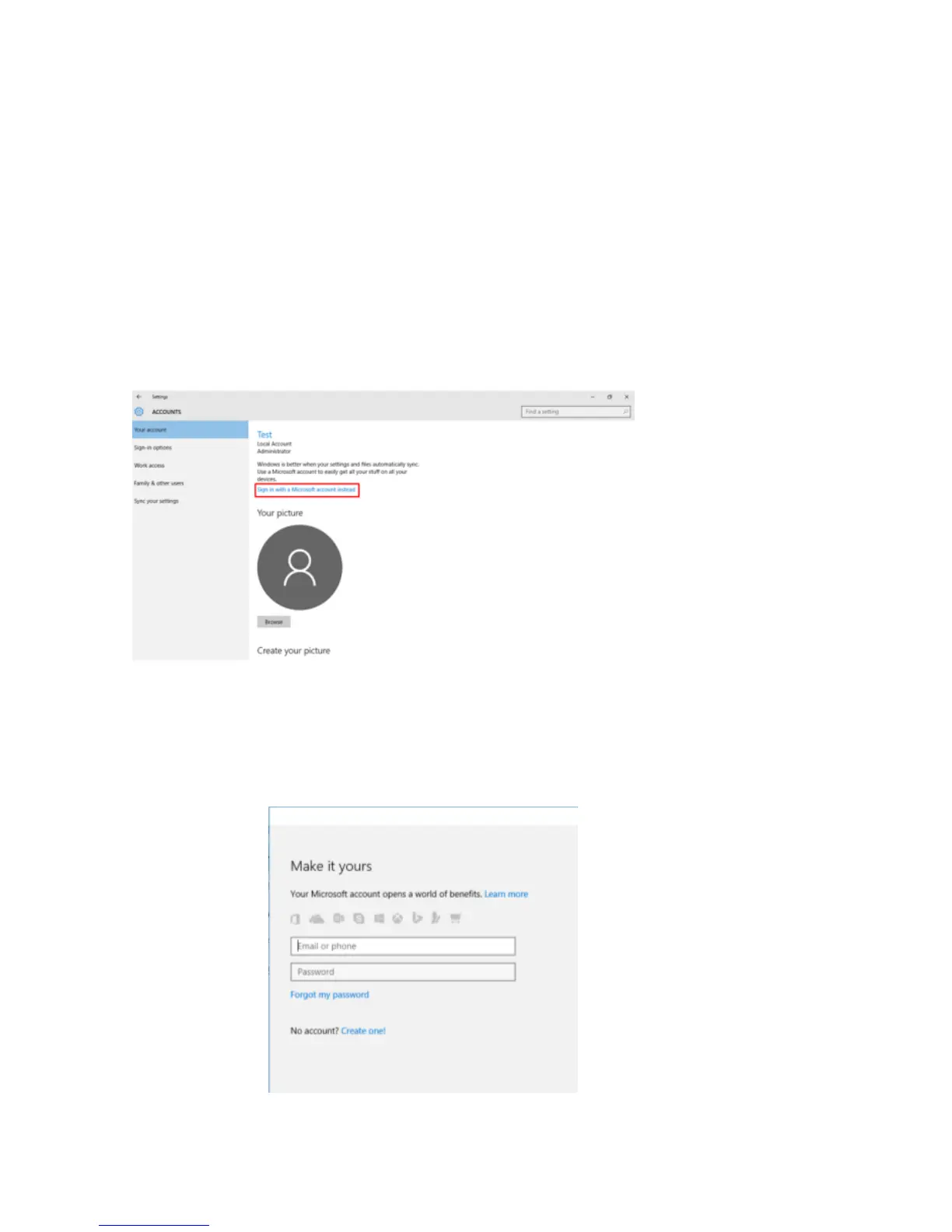
a) To login to the Microsoft account you need to go to the settings>
Accounts In Accounts you will have option as “Sign in with a Microsoft
account instead”
b) When you click on “Sign in with a Microsoft account instead”,
Microsoft login window will open, here you can create new account or
Login using your existing one


 To Next Page