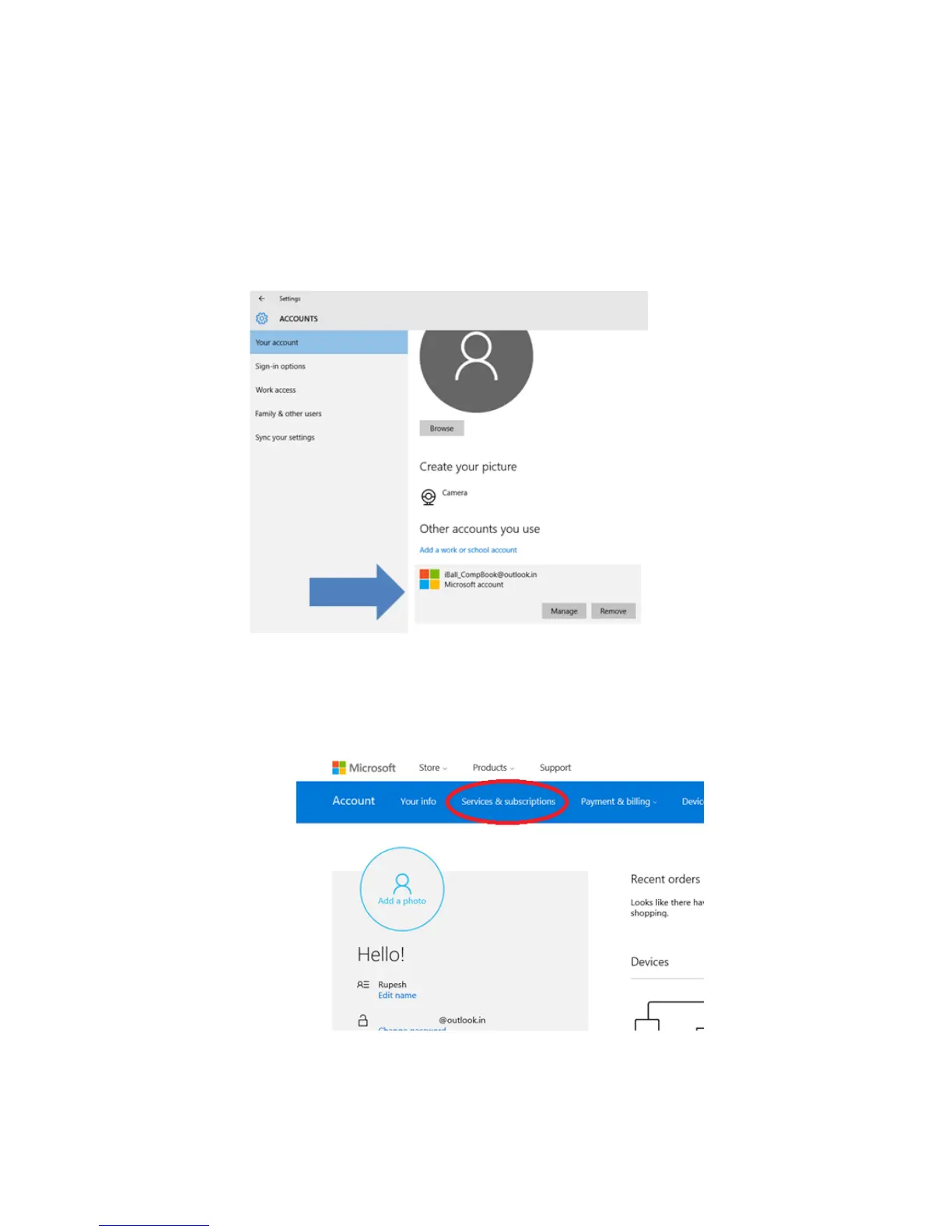
e) You will also get 5GB OneDrive storage for saving your data using
OneDrive app or directly using Web Browser, You can check your drive
storage by going to settings>Accounts>Your Account, Here you have to
scroll down and go to “Other account you use”. You will see your Outlook
account here; Just click on it and click on manage. This will redirect you to
your browser and open your account page
1. Here you need to go to “Services & subscriptions” tab.


 To Next Page