7
Power button
Press and hold this button to turn on the transmitter and receiver�
Before they get paired automatically, the LED
blinks/flashes and
indicates the remaining battery level as followings�
• Green: 100%-75%
• Yellow: 75%-50%
• Red: 50%-25%
• Red flashes 10 times: less than 25%�
The power turns off automatically to protect battery life�
After 2 seconds, they will be paired automatically and both of the LEDs
lights green�
The WS1 will choose the best wireless channel automatically in 2�4 GHz
frequency band� If the receiver can’t detect a signal coming from the
transmitter, the receiver’s LED
will blink red�
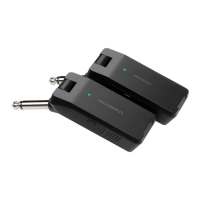
Transmitter plug (1/4”)
Connect the transmitter to the output of your guitar�
Receiver plug (1/4”)
Connect the receiver to the input of your amp or pedal� Before plugging-in,
we recommend you turn off the power of your amp to avoid any possible
damage to the amp�
LED indicator
Shows the current status of the wireless units�


 To Next Page