Channel Interface Cable Replacement Procedure
Note: Before starting this procedure, ask the host computer operator to place the
channel that is attached to this Channel Interface Cable into a
non-operational state.
Removing a Channel Interface Cable
To remove a Channel Interface Cable, follow these Steps:
1. Ask the host computer operator to vary the channel off, which places the
channel connected to the Channel Interface Cable in a non-operational state.
Note: The channel will remain in that non-operational state until the cable
work is completed.
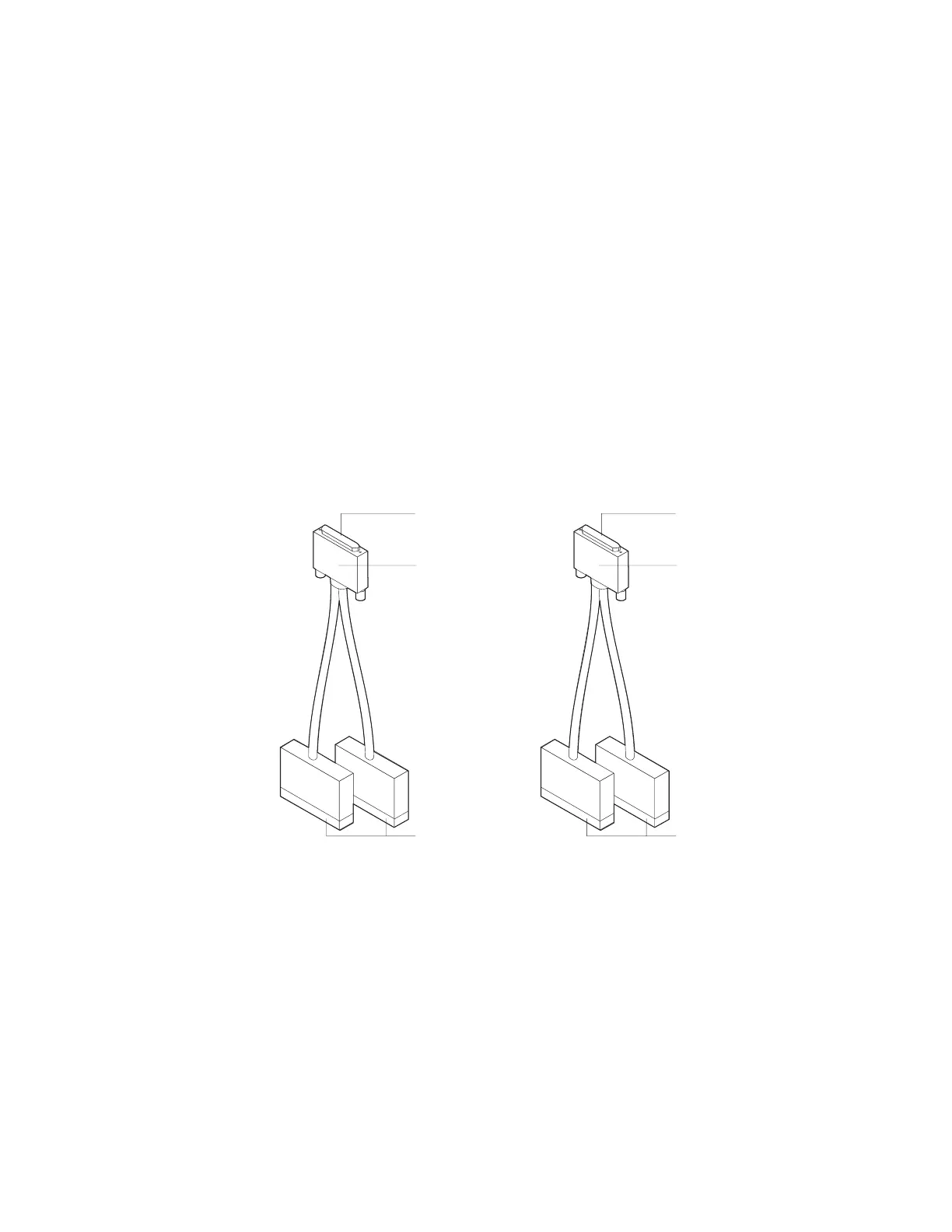
2. Remove each channel cable (or terminator block) from the Channel Interface
Cable. If you are replacing the Channel Interface Cable, note the location of
each cable or terminator block so that you can easily transfer it to the new
Channel Interface Cable. (The channel ends of the Channel Interface Cables
are labeled for bus and tag.)
Male
Channel Interface
Cable-in
Channel Interface
Cable-out
Female
Gray Black
BUS-in
BUS-out
TAG-in
TAG-out
Black Gray
Reinstalling the Channel Interface Cable
To reinstall the Channel Interface Cable, follow these Steps:
1. Connect each cable or terminator block from the old Channel Interface Cable to
the new one.
2. Ask the host computer operator to return the host computer or the channel to
an operational state.
3. After completing the replacement process, return to the procedure that you
were following.
3-46 3746-9X0: MAE Installation and Maintenance


 To Next Page
 Loading...







