Y
Y
OK
Wrong
Slot
Y
Y
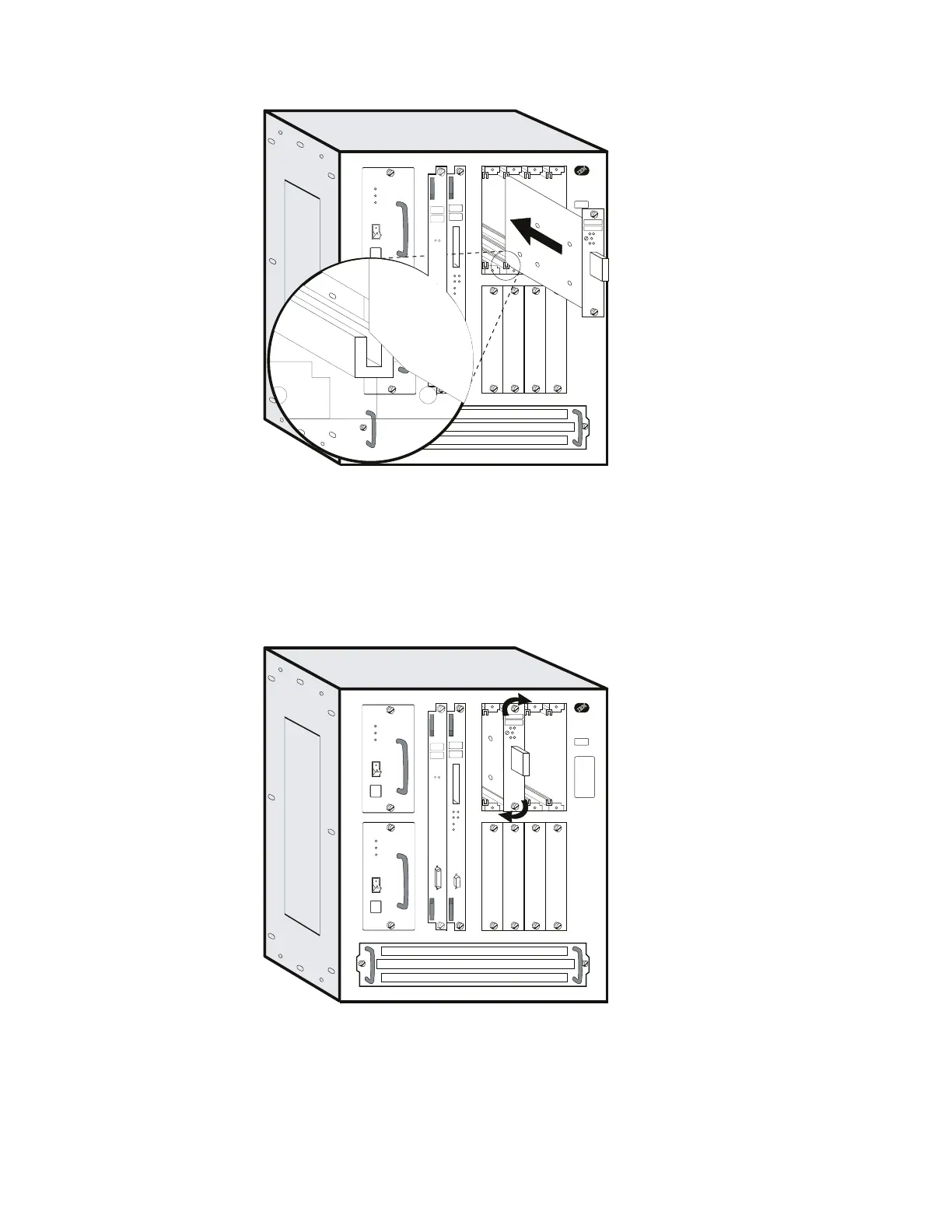
8 Carefully position the notches of the adapter card in the appropriate adapter
slot's upper and lower rails. Then, guide the adapter forward on the rails as
pictured.
9 Make sure the adapter card is aligned with the plastic grooves and then slide
it in until it is flush with the box.
Y
Y
Y
Y
OK
Wrong
Slot
When the card makes full contact with the rear of the Multiaccess Enclosure,
press and simultaneously turn each thumbscrews on the face of the adapter
card clockwise, only until the adapter is firmly seated.
10 Secure the module by tightening the screws.
4-44 3746-9X0: MAE Installation and Maintenance


 To Next Page
 Loading...







