Starting Firmware
You are ready to begin using the information in this chapter after you have
established connection with the multiaccess enclosure using the “Accessing the
Firmware from the Service Processor.”
Accessing the Firmware from the Service Processor
1 You should be logged ON on the service processor. If not go to Step 2.
Otherwise continue with Step 3 .
2 To log ON:
a On the MOSS-E View window, click on Program (in the action bar).
b Click on Log On MOSS-E.
c Enter the password and continue with Step 3 .
3 On the MOSS-E View window, double click on the 3746 icon.
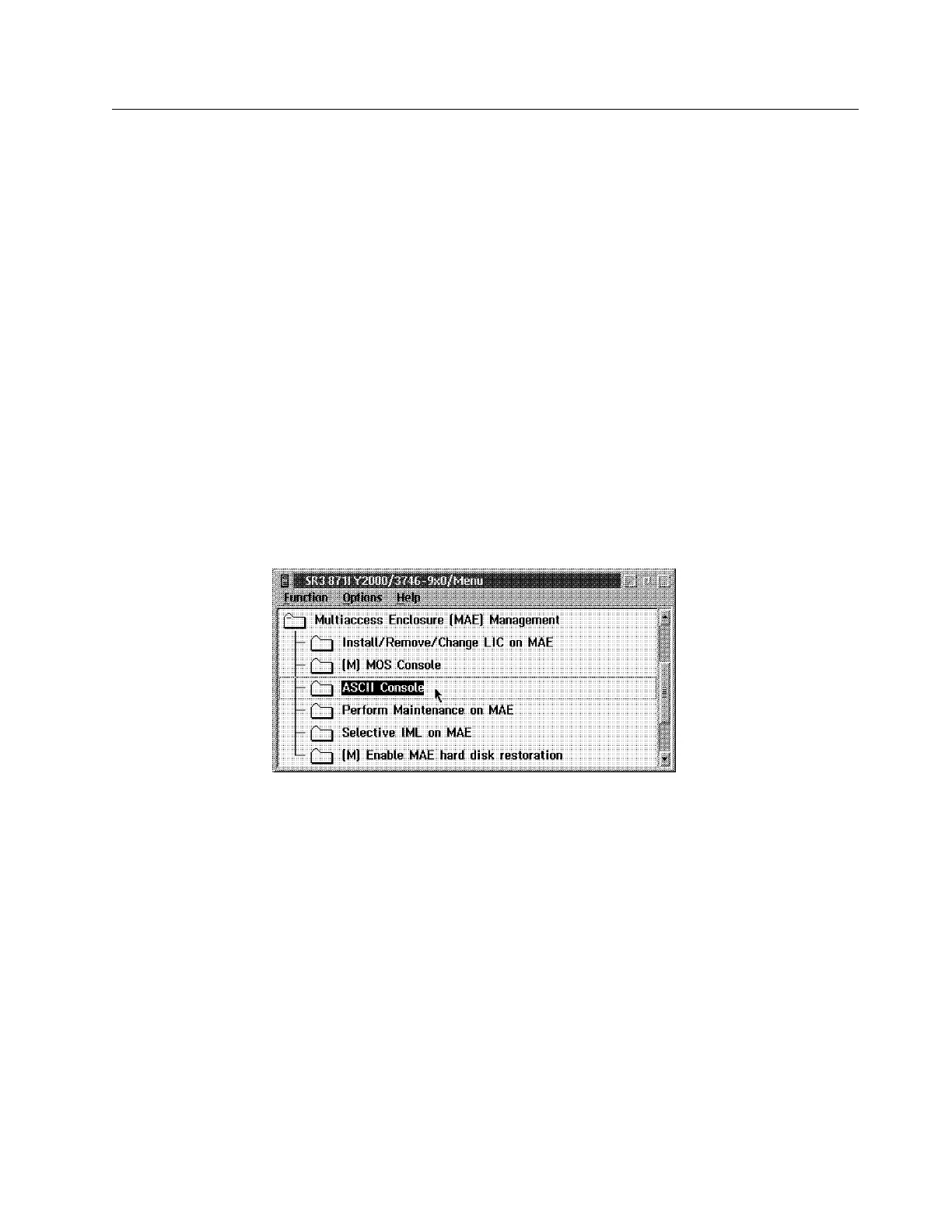
4 On the 3746-9x0 Menu click on the Multiaccess Enclosure (MAE)
Management option. The following window is displayed:
5 Double click on the ASCII Console option.
6 Power ON or Reset the MAE.
Note: If prompted, the default password is 2216.
7 Watch the screen carefully and when prompted, press F1 (to prematurely
terminate boot)
Note: If you get the message: 'System programs cannot be entered from
warm boot, please turn system off and try again'. Press the MAE reset push
button on the system card, and when prompted press F1.
Chapter 5. Multiaccess Enclosure Firmware and Operational Code 5-3


 To Next Page
 Loading...







