Installing Options
Deleting the Configuration Parameters
Delete your multiaccess enclosure parameters from the MOSS-E hard disk as
follows:
1. ____ Double click on the 3746-9x0 icon.
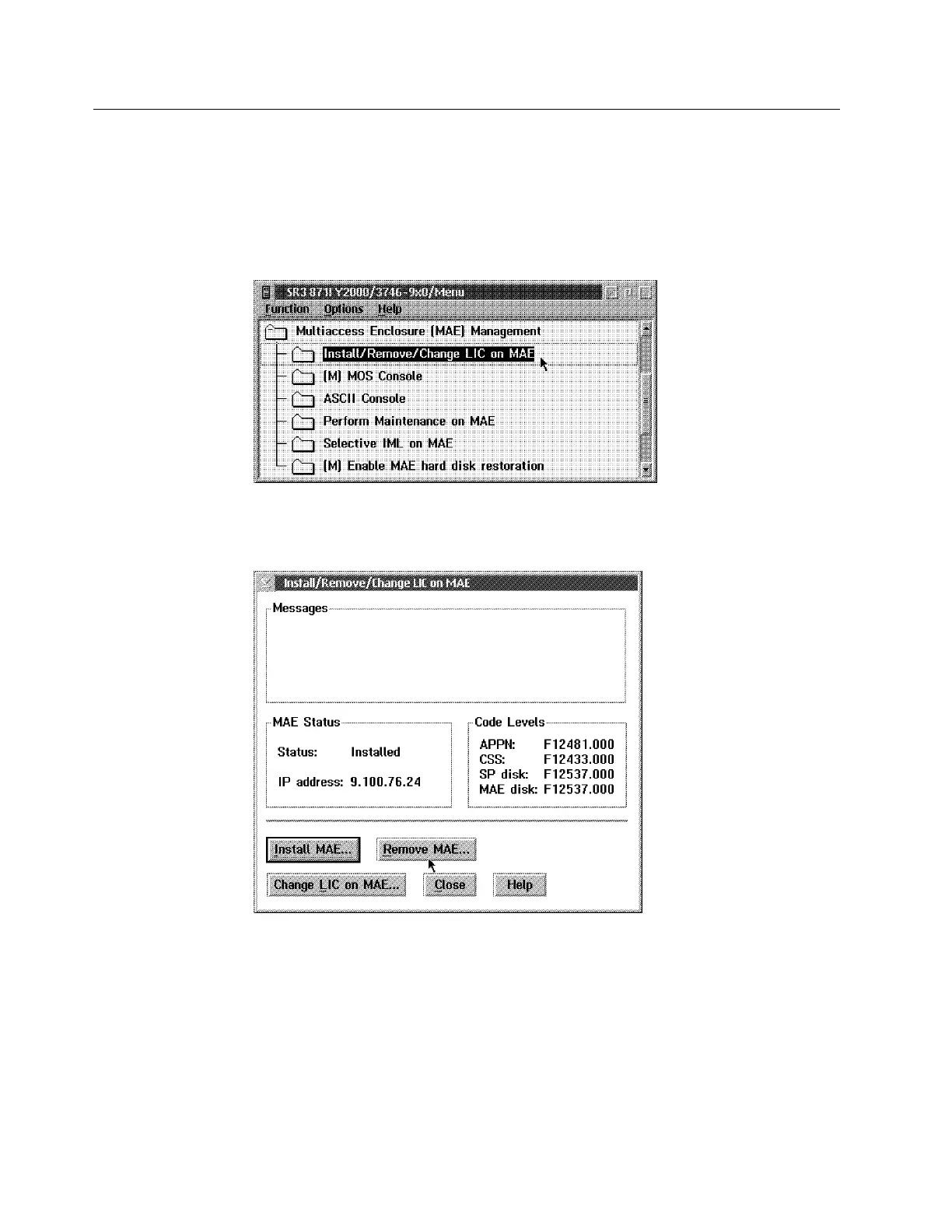
2. ____ Click on Multiaccess Enclosure (MAE) Management, double click on
Install/remove/Change LIC on MAE.
Figure 7-1. 3746-9X0 Multiaccess Enclosure Management
3. ____ Click on Remove MAE...
Figure 7-2. Remove Multiaccess Enclosure
4. ____ When completed, click on Close
7-2 3746-9X0: MAE Installation and Maintenance











 To Next Page