Configuring the MAE via CCM
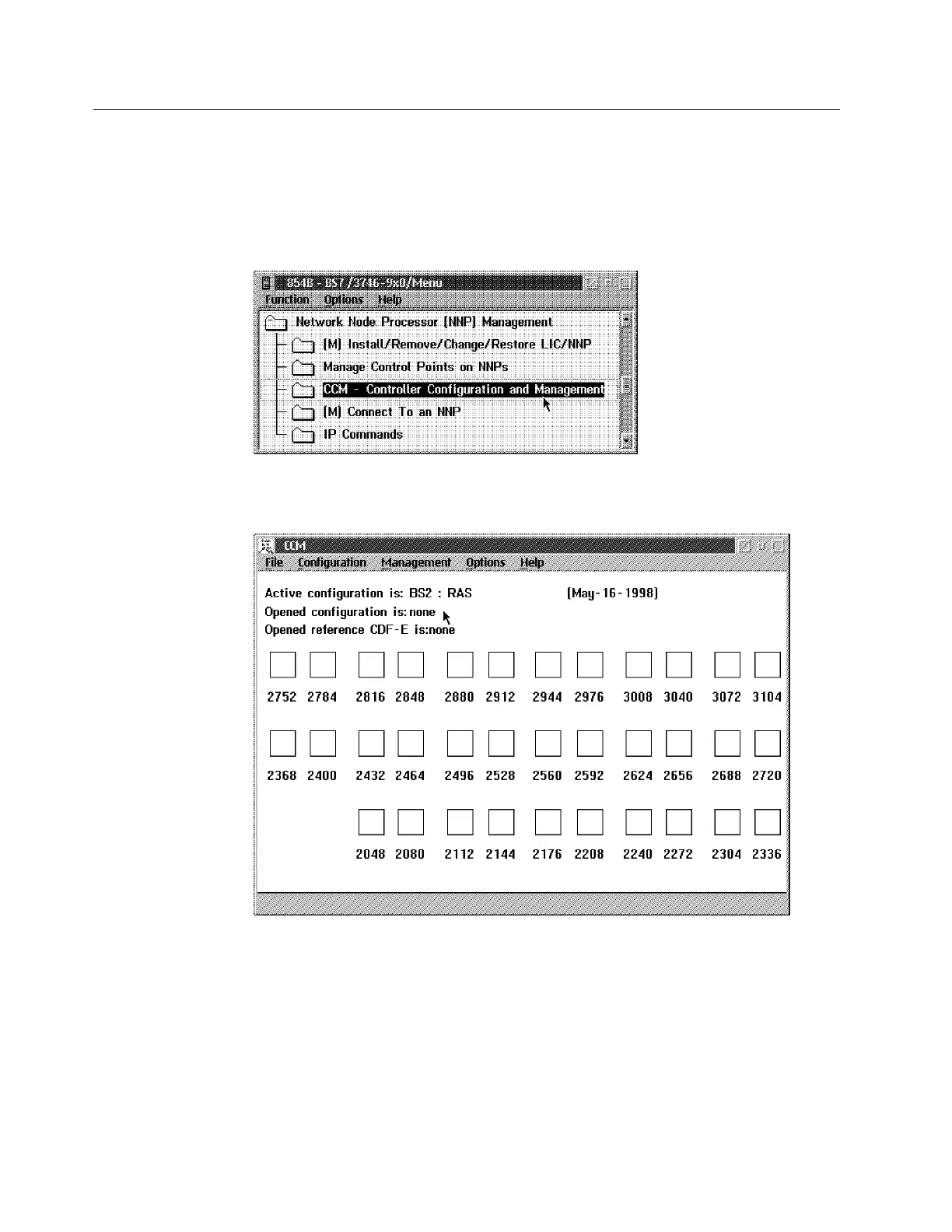
1 In the Main Menu click on Network Node Processor (NNP) Management
option.
2 In the Network Node Processor (NNP) Management window, double click
on the Controller Configuration and Management (CCM) option.
3 The following window is displayed.
4 Click on File in the title bar, then select Open The Configuration List
window is displayed.
E-6 3746-9X0: MAE Installation and Maintenance



 To Next Page