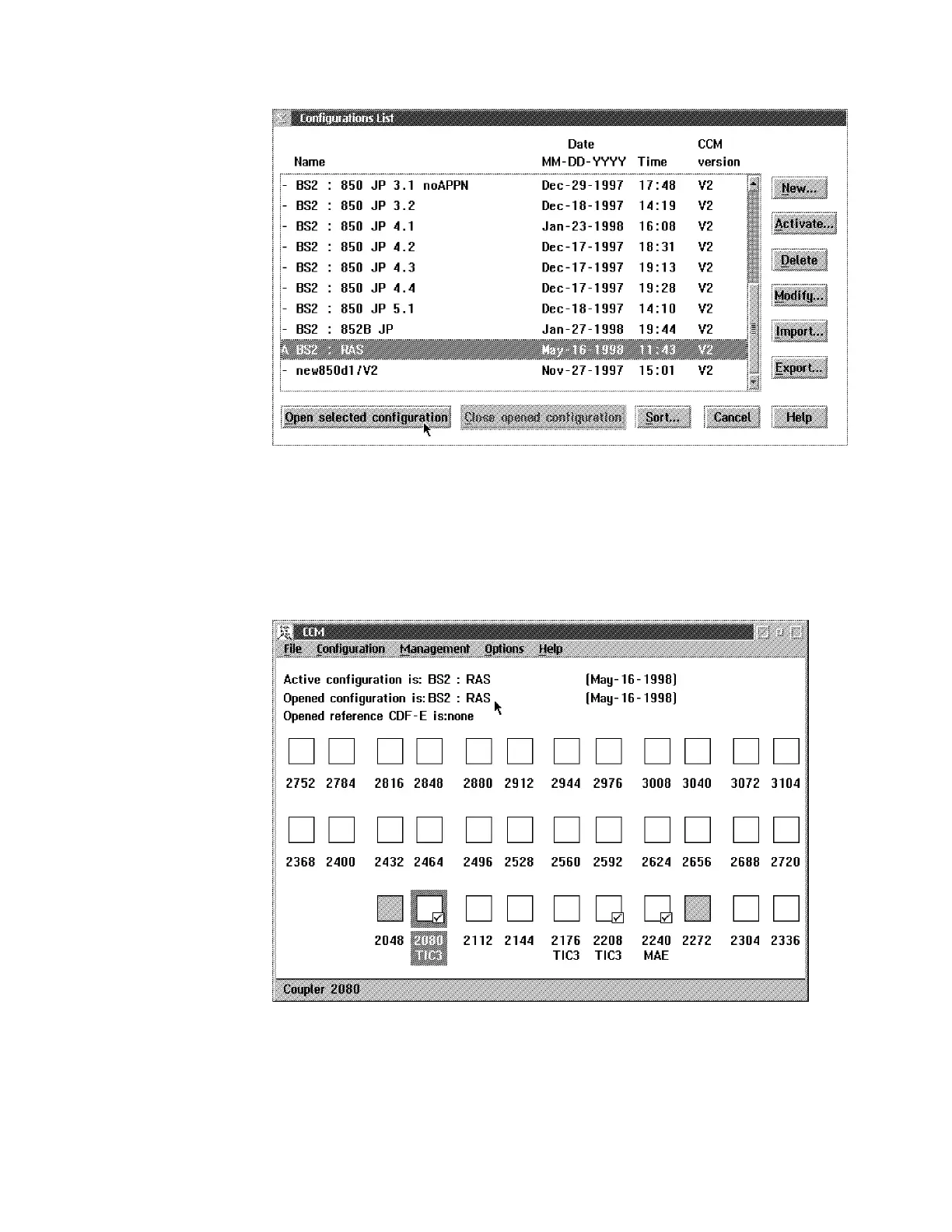
5 Select the name of the configuration that you want to modify, then click on
Open Selected Configuration.
6 A message may appear saying: "MAE configuration is updated".
7 The following window is displayed.
8 Two cases must be considered:
a. If the MAE is already installed and shown in the window:
Appendix E. Managing Operational Code and Configuration Files E-7






 To Next Page