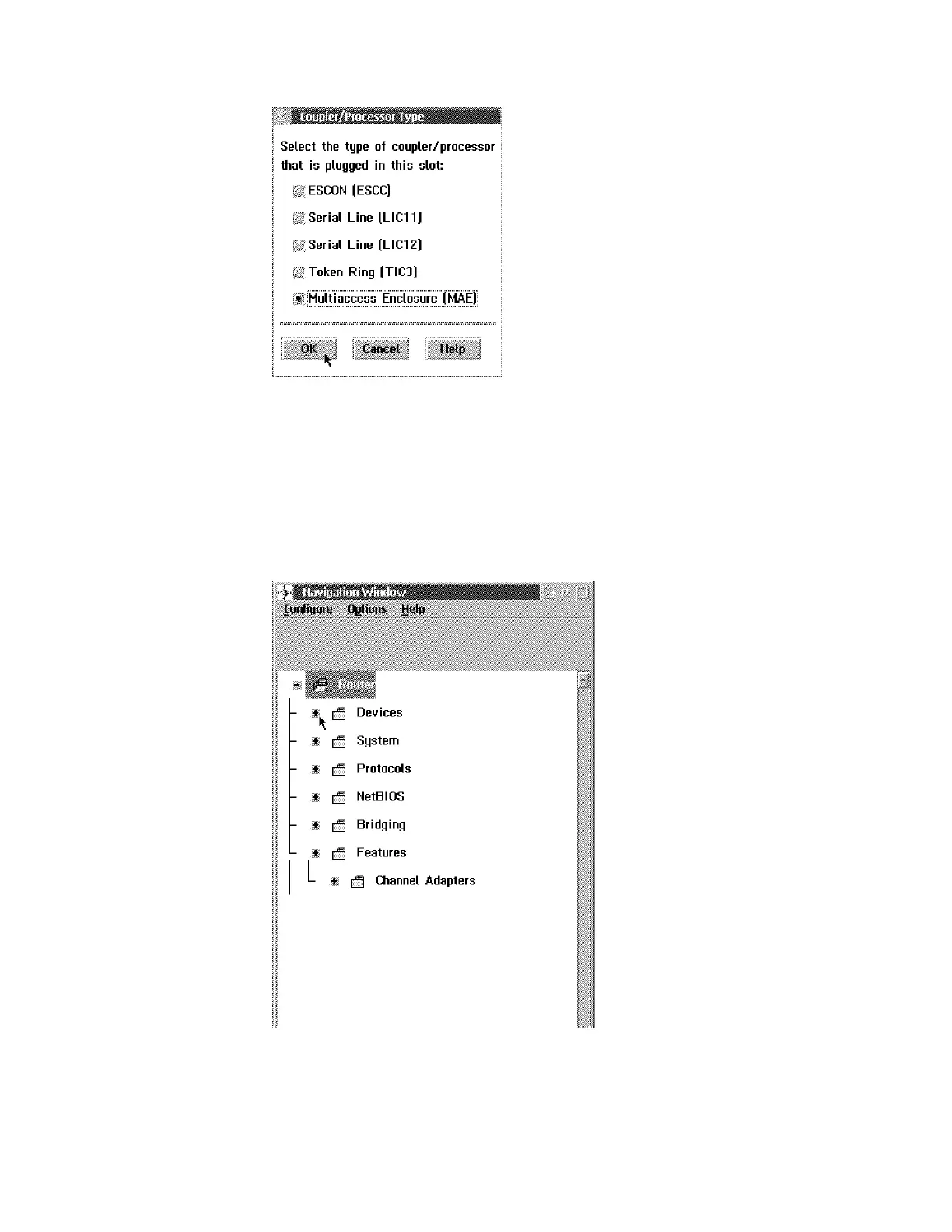
Select Multiaccess Enclosure (MAE), then click on OK.
10 Wait until the Nothing Selected window is displayed.
11 Press Ctrl/Esc.
12 The Window List is displayed. Double click on the Navigation Window.The
Navigation Window is displayed.
Note: By clicking on the + on the left side of the icon the view is expanded.
13 Expand the Devices. The following window is displayed:
Appendix E. Managing Operational Code and Configuration Files E-9



 To Next Page