Step 2 - Installing the MAE
1. Unpack your MAE and verify that, along with this guide, the following items
were included:
Documentation
–
Caution: Safety Information-Read This First
, SD21-0030
Hardware
– One SIE card
– One cable PN 02L2764 (SIE to SAC cable)
– One or two 8228 (optional)
– Any cable ordered
– One Power cord for each power supply
– Rack mount installation kit
– One ac outlet distribution box (if ordered when the MAE has two
power supplies)
2. According to the units to be installed in the controller expansion, determine
the location where you are going to install the MAE in the controller
expansion, refer to Figure D-1 on page D-2 and Figure D-6 on page D-7
for help.
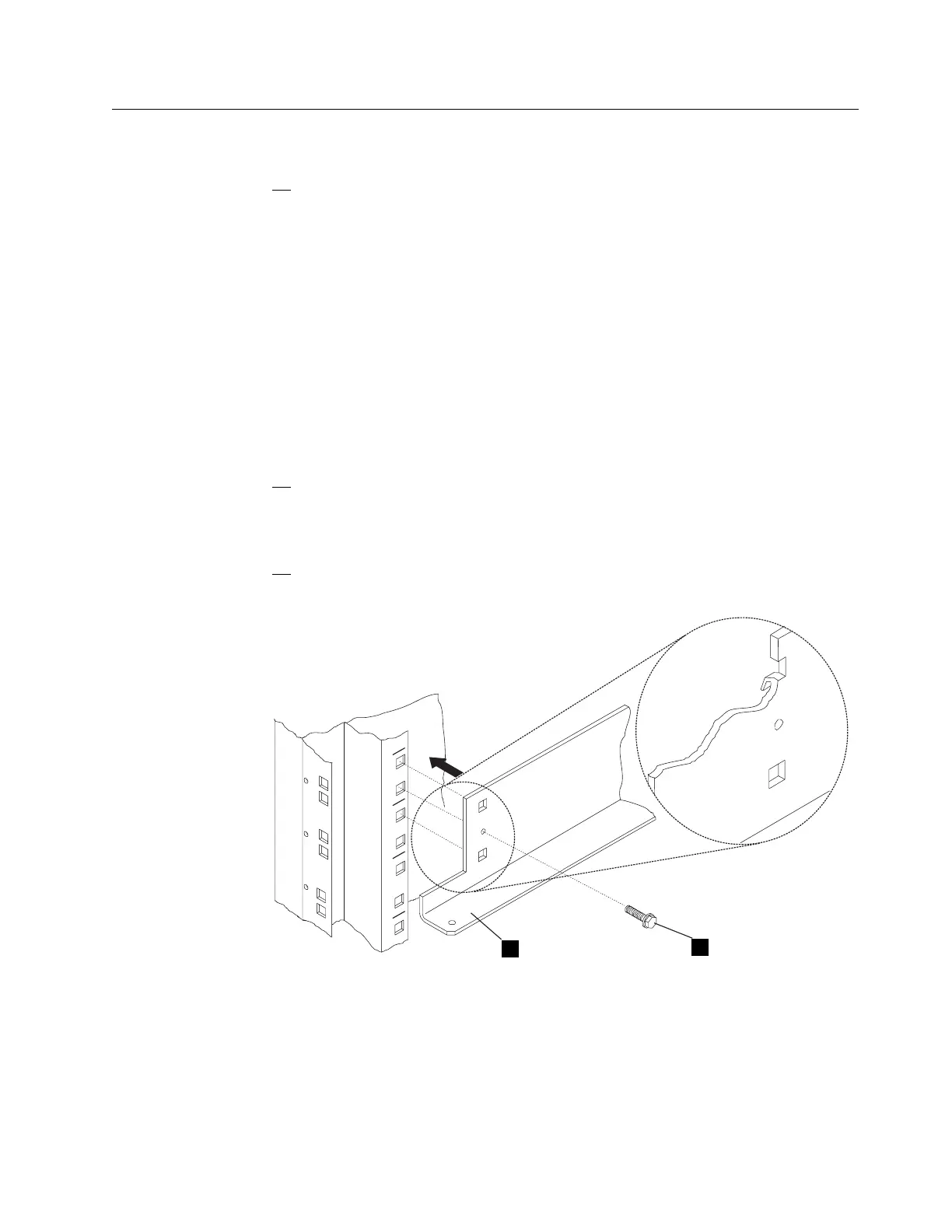
3. Install two brackets .1/ (PN 58G5793) using four screws .2/ (PN
2665527) in the controller expansion as shown in Figure 1-2.
XX
XX
XX
1
2
Figure 1-2. Brackets Installation
Chapter 1. Installing and Setting Up Your MAE 1-5











 To Next Page