Step 3.3 - Other MAE Cables Installation
If you have only one ac distribution box installed in the controller expansion go to
“Single ac Outlet Distribution Box.” Otherwise go to “Dual ac Outlet Distribution
Box” on page 1-14.
Single ac Outlet Distribution Box
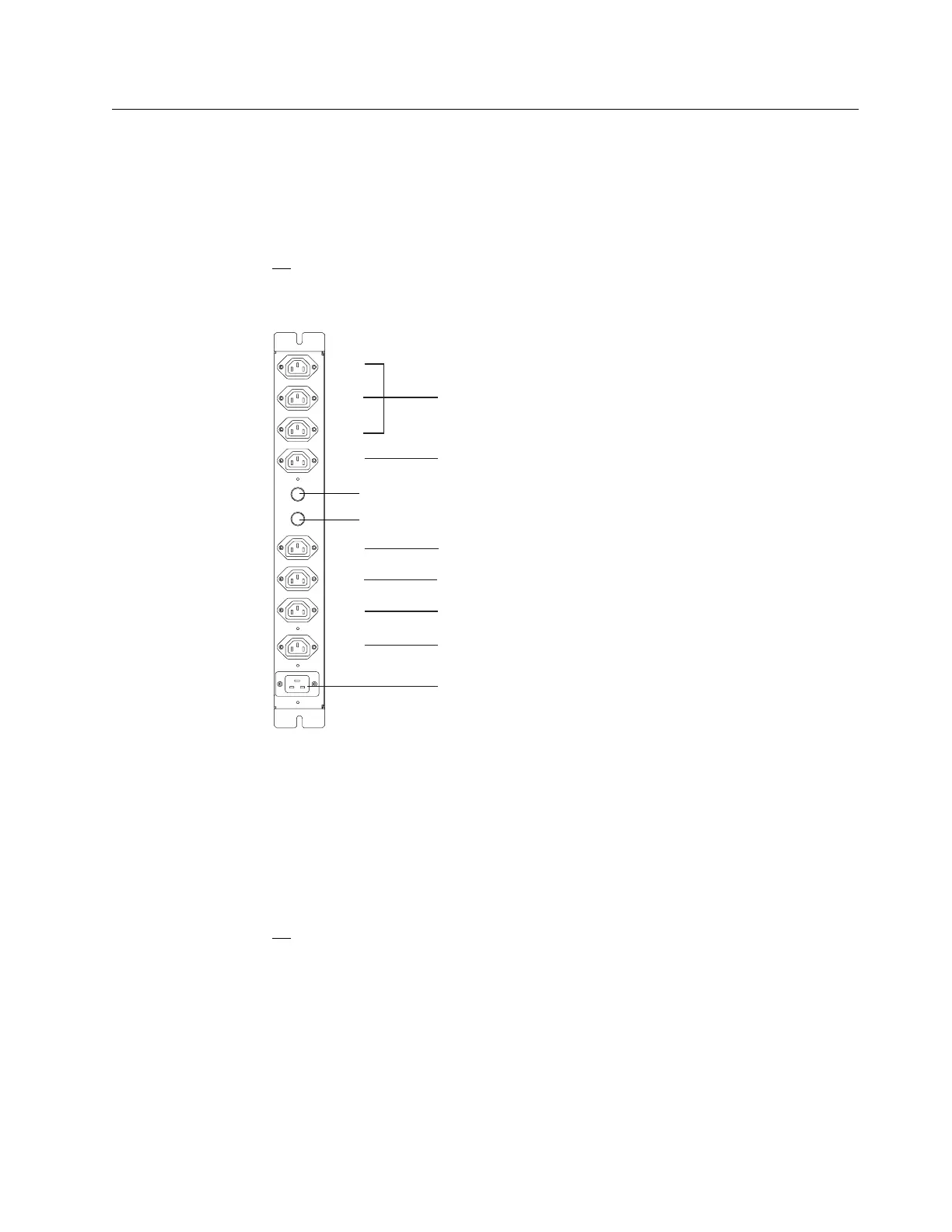
1. Connect the power cords .8/ (PN 58G5783) from the MAE power supply to
the plugs of the ac outlet distribution box as shown in the figure
Figure 1-15.
F2
F1
J8
J7
J6
J5
J4
J3
J2
J1
Other Options
(for example Ethernet Bridge/
or Multiaccess Enclosure 1st Power Supply)
Network Node Processor B
or Multiaccess Enclosure 2nd Power Supply
Optical Disk Drive, CD-ROM Drive or RSF Modem (7858)
Display
Network Node Processor A
Service Processor
AC Input
Figure 1-15. Power Plugging on a Single ac outlet Distribution Box
Notes:
a. These unit plugging guidelines are calculated no to exceed the F1 or
F2 current rating. Therefore units should not be shuffled from the fuse
group that is recommanded.
b. If the multiaccess enclosure second power supply option is installed, it
is recommended that the second ac outlet distribution box is added.
2. According to the plugging sheets, connect the external cables from slot 2 to
8 of the MAE.
Go to “Step 4 - Installing the SIE Cassette in the 3746-9X0” on page 1-15
Chapter 1. Installing and Setting Up Your MAE 1-13











 To Next Page