Step 6 - Customizing the MAE
Notes
For any unexpected message or error concerning the MAE, go to:
The START page of the
3746-900 Service Guide
, SY33-2116, if you are
working on a 3746 Model 900.
The START page of the
3746-950 Service Guide
, SY33-2108, if you are
working on a 3746 Model 950.
During the following procedures do NOT change the speed of the PCMCIA
Token Ring card. This procedure must be used ONLY when for repair action
you have to exchange the PCMCIA TR card.
1. Power ON the MAE.
2. Double click on the 3746-9X0 icon.
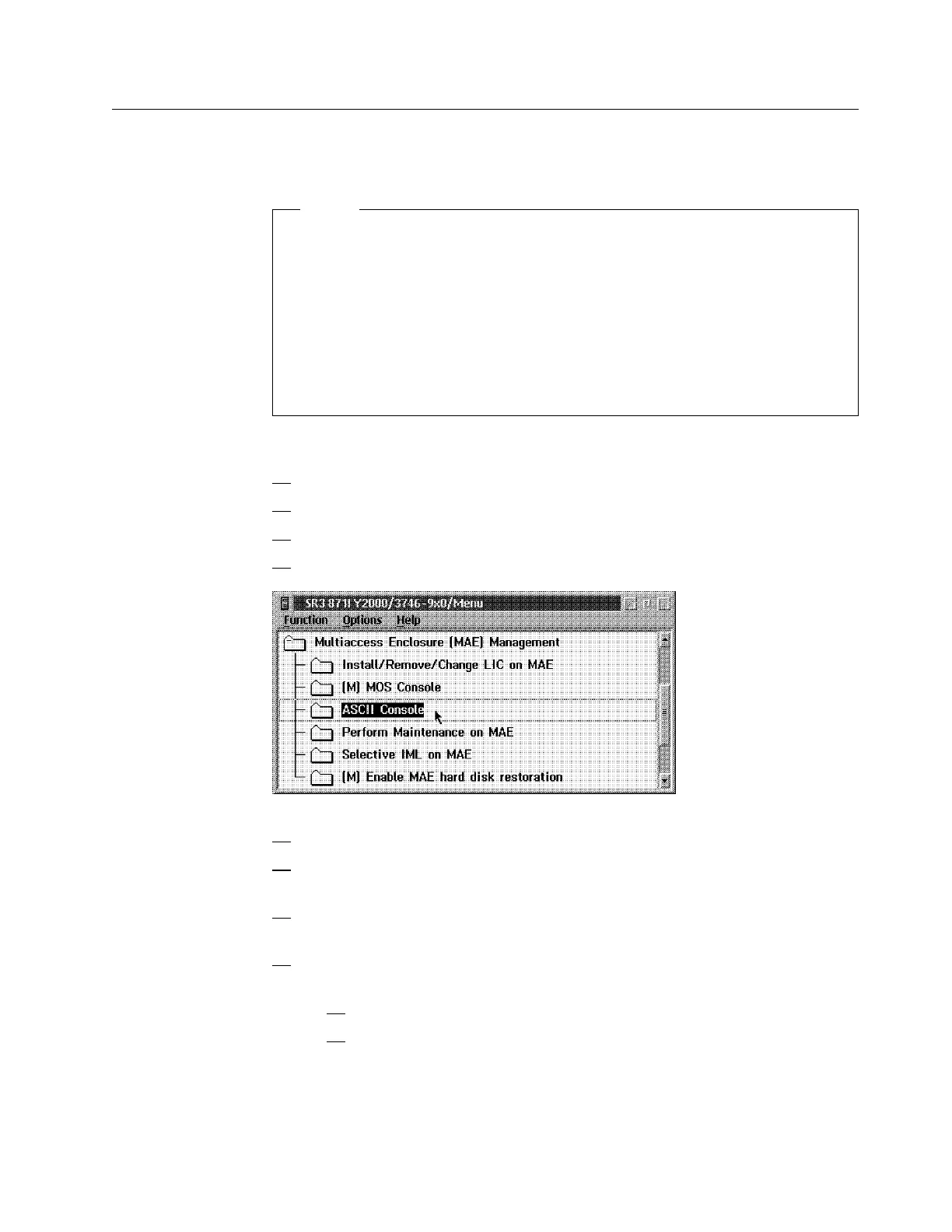
3. Click on Multiaccess Enclosure Management.
4. Now double click on ASCII Console.
5. Press the Reset button on the MAE.
6. Several windows are displayed during tests. Wait until the Boot
Information window is displayed.
7. Enter the Multiaccess Enclosure supervisory password when required:
2216.
8. Press F1 when prompted (to prematurely terminate boot), then go to Step 9
on page 1-22. Otherwise change to manufacturing mode:
a. When V: prompt appears type mfgmode 0, then press Enter.
b. Enter diags, then press Enter. Continue with Step 9 on page 1-22.
Chapter 1. Installing and Setting Up Your MAE 1-21











 To Next Page