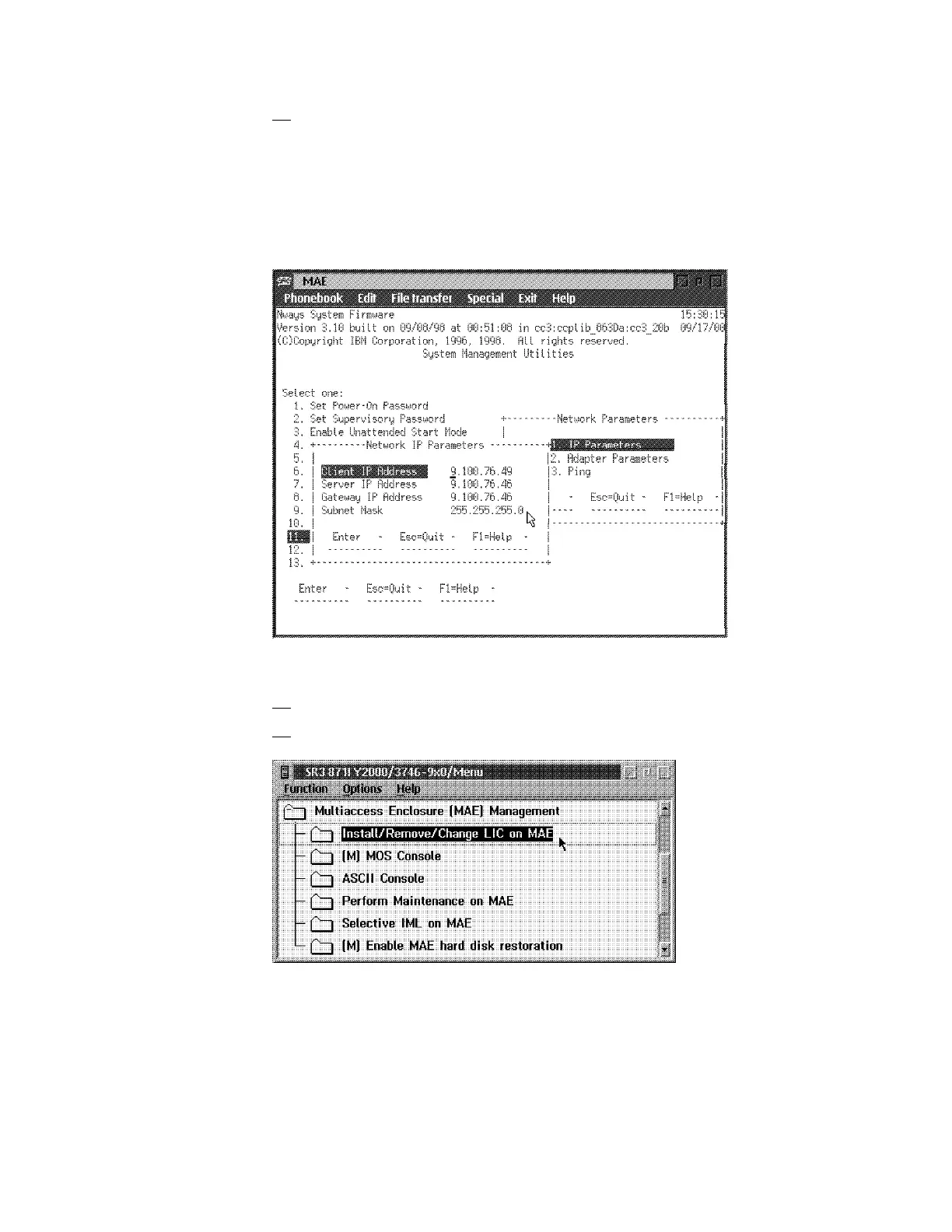
11. ____ Refer to Figure 1-23, enter the Client IP address (MAE address of
the PCMCIA card), Server IP address (service processor address),
Gateway IP address (if no router on the ring, enter the service processor
IP address), Subnet Mask, then press Enter.
Note: These IP addresses must be set according to the values given to
the service ring IP parameters (refer to “For the multiaccess enclosure” on
page C-1).
Figure 1-23. MAE
12. ____ Press the Esc key twice, then close the ASCII window.
13. Now double click on Install/Remove/Change LIC on MAE.
Figure 1-24. Install Multiaccess Enclosure
Chapter 1. Installing and Setting Up Your MAE 1-23











 To Next Page