Displaying the Level of the MAE LIC
1. ____ Double click on the 3746-9x0 icon.
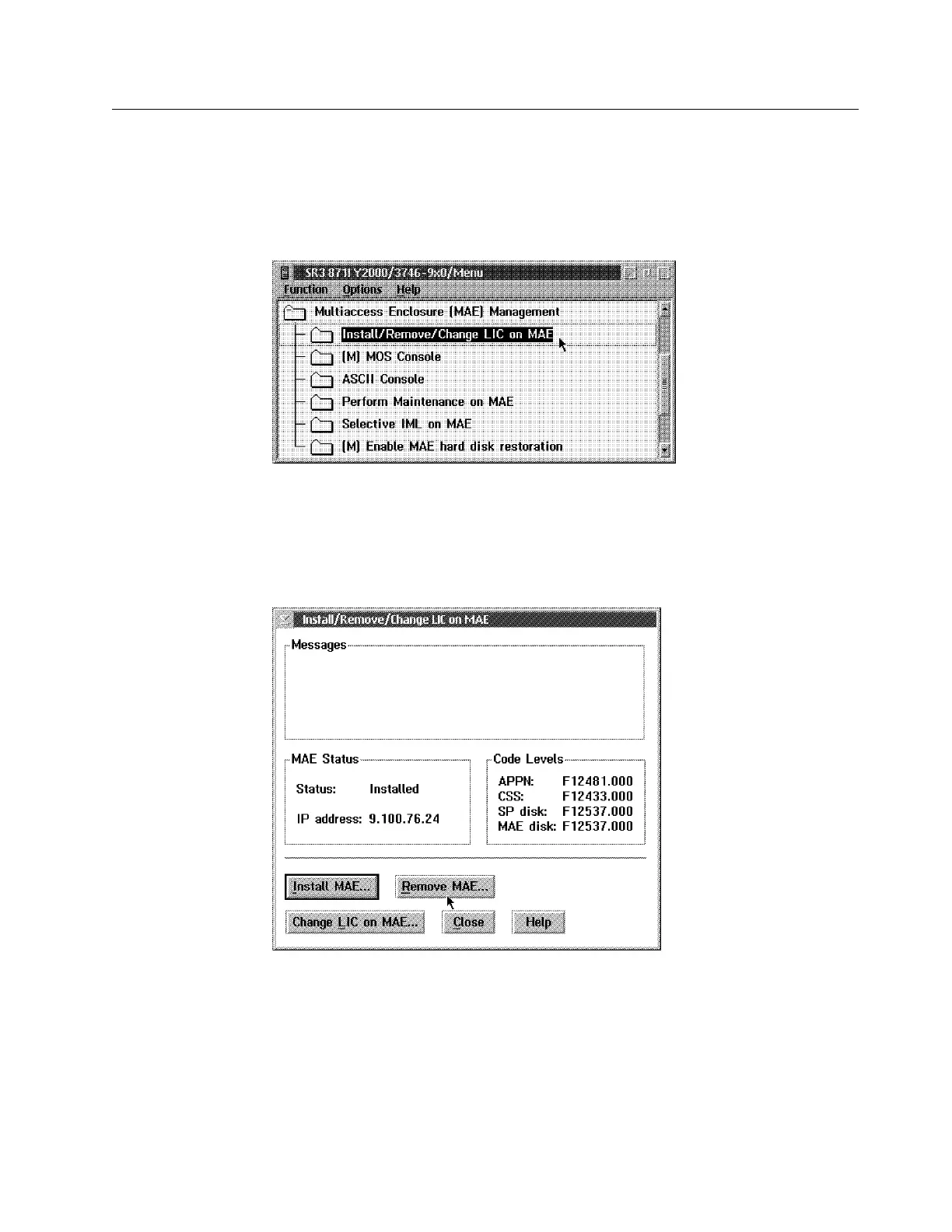
2. ____ Click on Multiaccess Enclosure Management, double click on
Install/Remove/Change LIC on MAE.
Figure 2-2. Multiaccess Enclosure (MAE) Management
In the code levels window you can find:
The MAE LIC installed on banks A & B: MAE disk
The MAE LIC installed on SP active version: SP disk
Figure 2-3. Install/Remove/Change LIC on MAE
Now if you want to display the level of the code loaded on the non-active
version on the SP hard drive go to step 3 on page 2-4.
Chapter 2. Maintaining the Code on the MAE 2-3











 To Next Page