Installing MCF on the MAE
Note
This function is used to fix emergency problems on code and must be
executed on Product Engineering recommendations.
1. ____ If you have received MCFs through VM, copy these MCFs on a diskette
(we recommend to use ALMCOPY to download these files in binary format).
2. ____ Install the diskette in the Service Processor diskette drive.
3. ____ Enter the Service Processor maintenance password (default is IBM3745).
4. ____ Double click on the Service Processor icon.
5. ____ Click on Change Management.
6. ____ Double click on Manage Microcode Fixes
7. ____ Click on View, click on Change directory path
8. ____ Enter A:\*.* to select the MCFs recorded on the diskette and click on OK.
9. ____ On the list displayed, click on the fixes to be applied.
10. ____ Click on File, click on Move
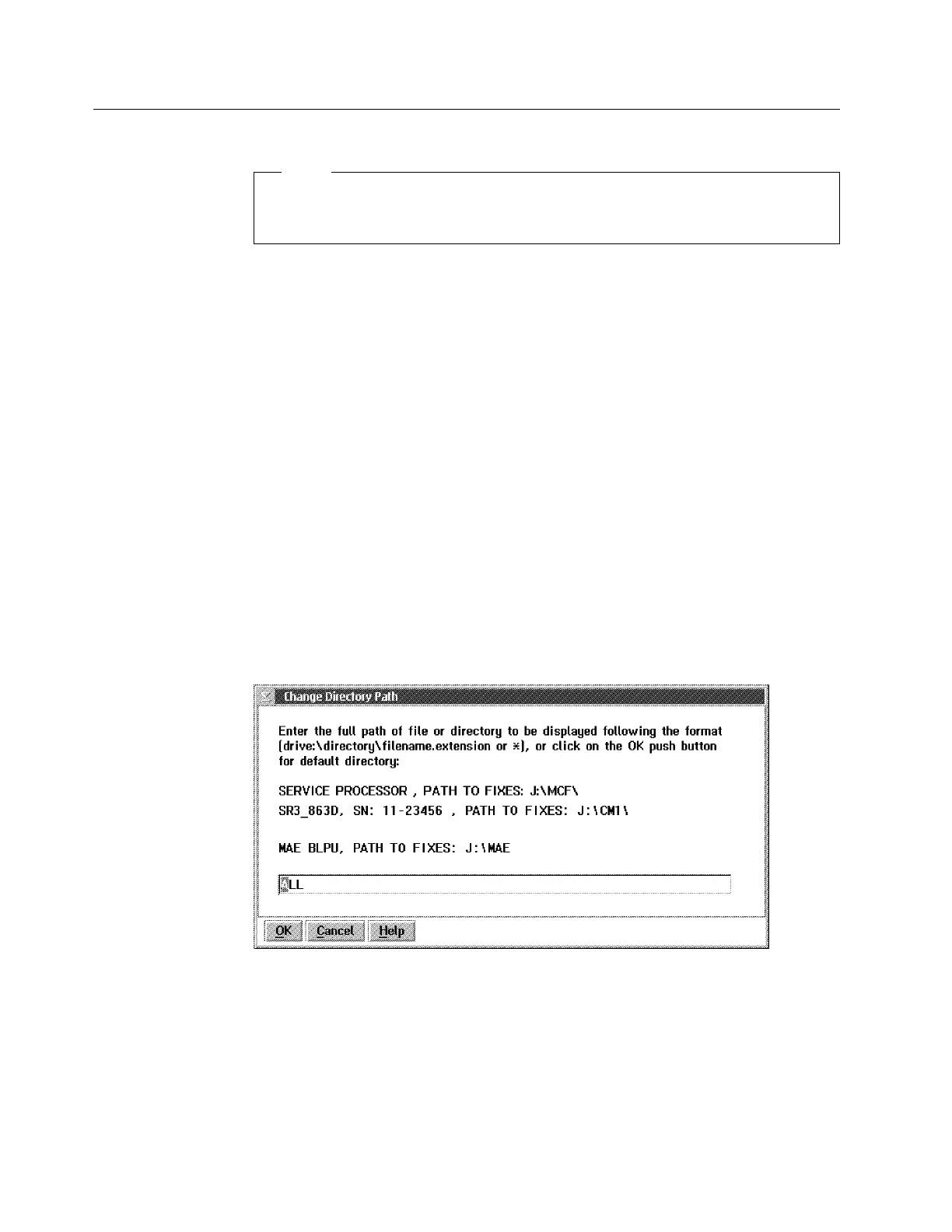
11. ____ when the change path is displayed, enter the directory path according to
the information displayed on the following screen, then click on OK.
J:\MAE\ALL for MCF concerning the MAE
Figure 2-6. Manage Microcode Fixes
2-6 3746-9X0: MAE Installation and Maintenance











 To Next Page