Displaying a MAE Configuration
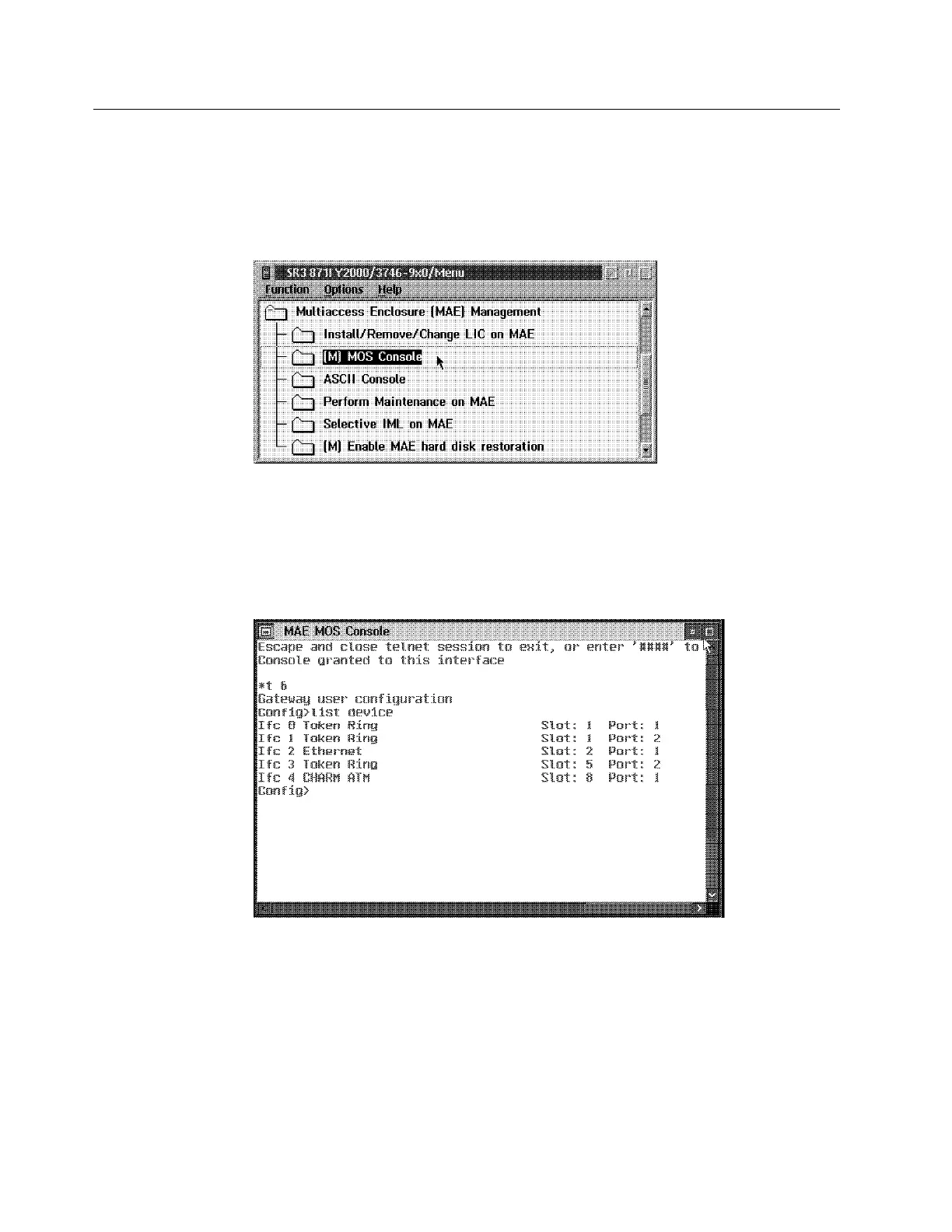
1. ____ Double click on the 3746-9x0 icon.
2. ____ Click on Multiaccess Enclosure Management, double click on MOS
Console (this will start a telnet session into the MAE).
Figure 2-13. MAE MOS Console
3. ____ Enter Talk 6 (or t 6), list device, then press Enter.
Note: In this configuration example, one token-ring adapter is plugged in slot
1 the two ports are used. The token-ring adapter plugged in slot 5 has only one
port (2) used. The Ifc identify the interface number.
Figure 2-14. MAE Mos Console
2-12 3746-9X0: MAE Installation and Maintenance











 To Next Page