Preparing the Wrap Blocks
The procedures you follow to install wrap blocks depend upon the following
conditions:
V-cable interconnected configurations
Interconnection of multiple adapters in a single multiaccess enclosure
Interconnection of multiple adapters among multiaccess enclosures
Options for testing the adapters in a single multiaccess enclosure, individually
or together.
Install wrap blocks. Remember your configuration and refer to the sketch you
made:
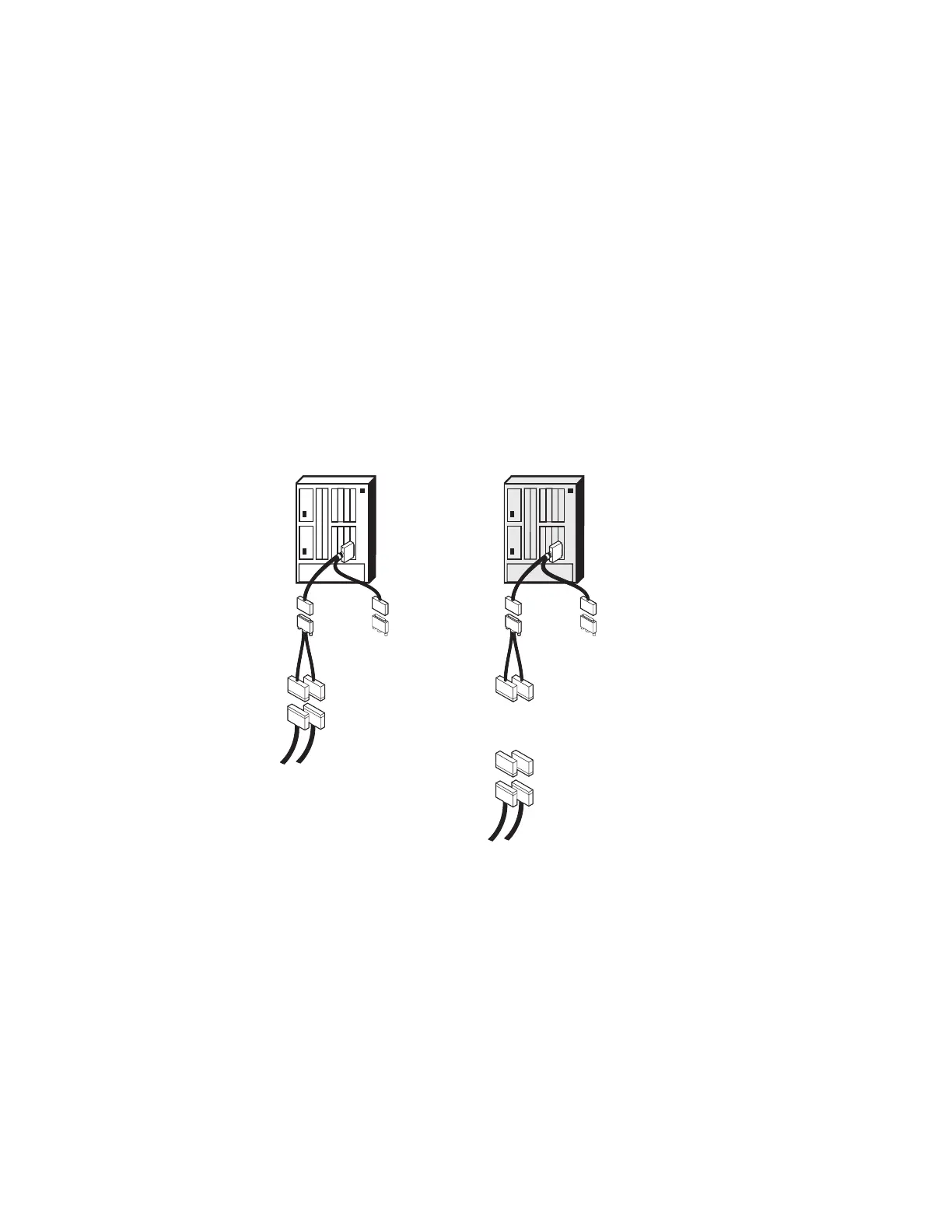
When you are testing a Parallel Channel Adapter in a
single multiaccess
enclosure at the end of a channel
, follow these steps using the following
figure:
Before After
Note:
W
T
T
T
W
T
T
W
Wrap Block
Terminator
MAE
MAE
To Host
To Host
Figure 3-4. Single Parallel Channel Adapter at the End of a Channel
1. Unplug the channel cables from the Channel Interface Cables of the
Parallel Channel Adapters that you are testing.
2. Insert the bus and tag wrap blocks into the bus-in and tag-in ends of the
Channel Interface-in cable, and the V-cable terminator.
3. If you want to put the channel in the operational state while you are testing
the adapter, insert bus and tag terminators on the ends of the associated
bus and tag channel cables.
4. Go to Step 4 on page 3-32.
3-24 3746-9X0: MAE Installation and Maintenance


 To Next Page
 Loading...







