15. Remove the 175 MB Cache RAID – Dual IOA Enablement card at location P2-C9-C1. Go to next step
16
Attention: Do not remove the 175 MB Cache RAID – Dual IOA Enablement card if the LED (C) is
flashing as shown in Figure 2, because this indicates that cache data exists.
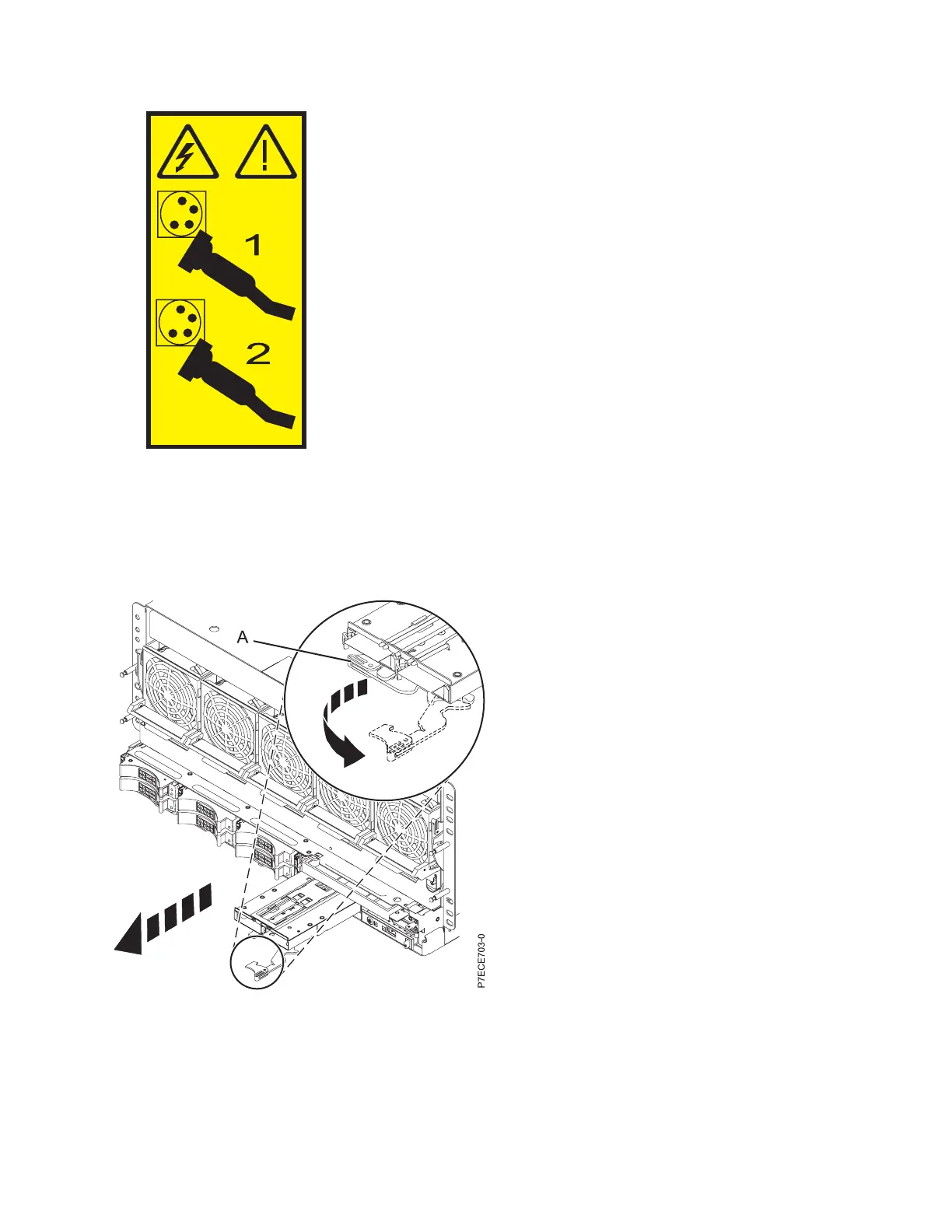
16. Pull up slightly on the lever (A) and rotate it out to the right as shown in the following figure.
17. Slide the RAID battery card out of the slot.
18. Replace the 175 MB Cache RAID – Dual IOA Enablement card. For information, see “Installing the
175 MB Cache RAID – Dual IOA Enablement card in the 8248-L4T, 8408-E8D, or 9109-RMD” on page
9.
Figure 3. 175 MB Cache RAID - Dual IOA Enablement card in a rack-mounted model
Removing the 175 MB Cache RAID – Dual IOA Enablement card 7


 To Next Page
 Loading...