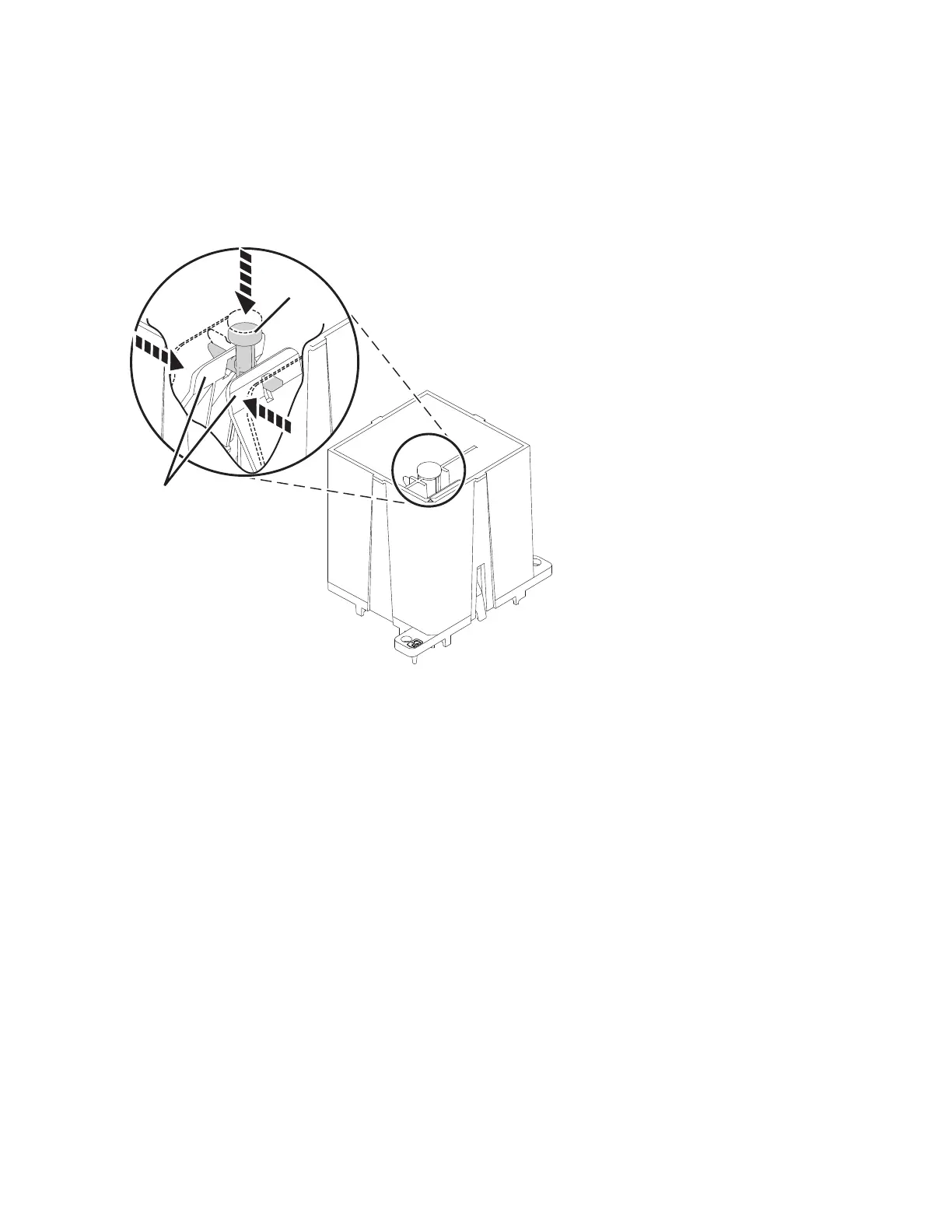
a. Press down on the center button (A).
b. While pressing the button (A), squeeze the tabs (B) together.
c. Release the center button (A) while still holding the tabs (B) so that the tabs (B) are held in the
locked position.
Note: This will place the jaws at the bottom of the tool in the open position.
6. Install the SCM
Note: Use the following procedure for SCM tool (A) or (B) to remove the SCM from the carrier tray
(P/N 00E8477).
a. Caution: Do not tilt the module install tool while searching for the locating pins. Sockets damage
may happen if the module is forced down on socket at an angle.
22 Power Systems: SCM



 To Next Page